

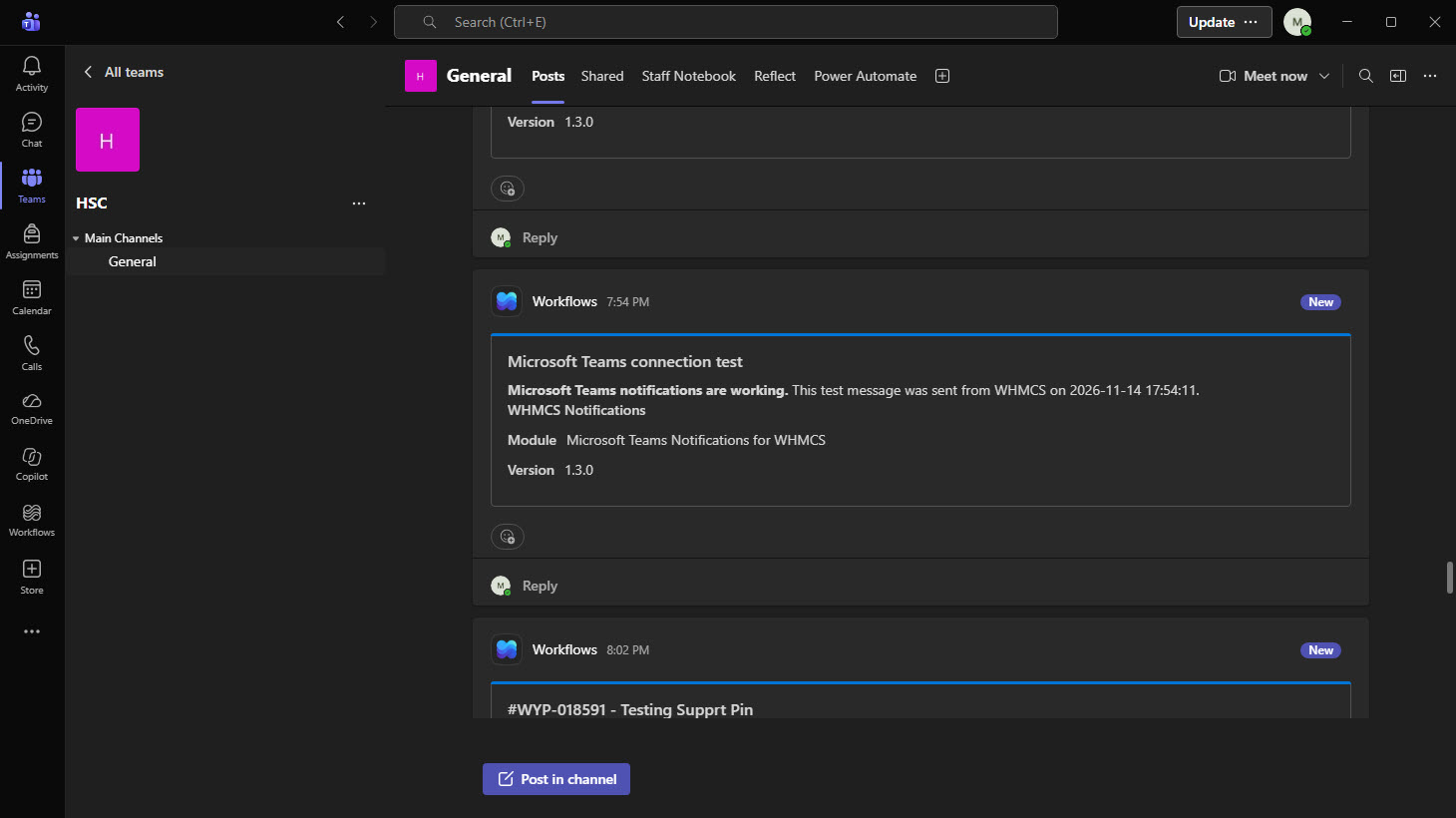
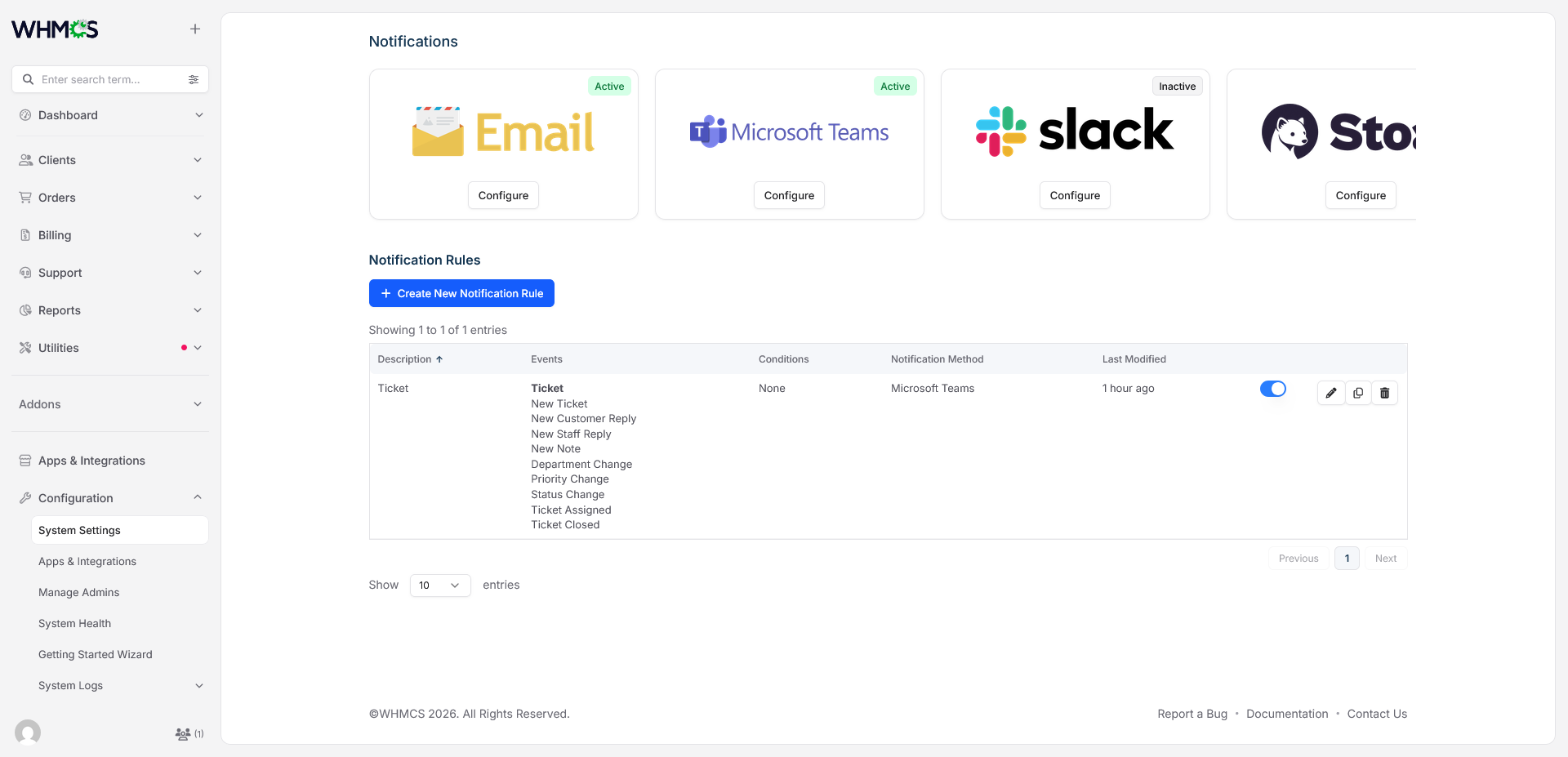
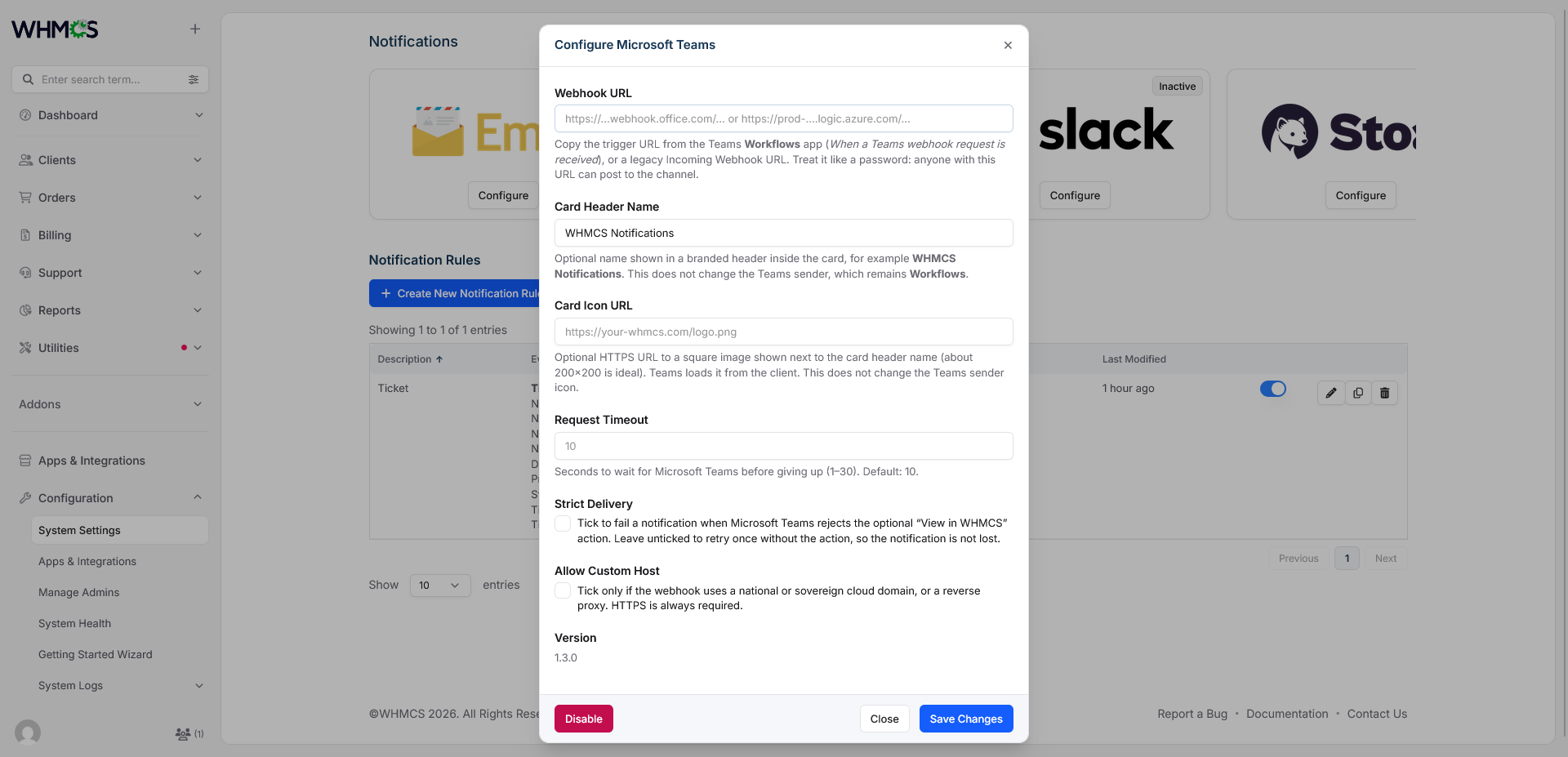
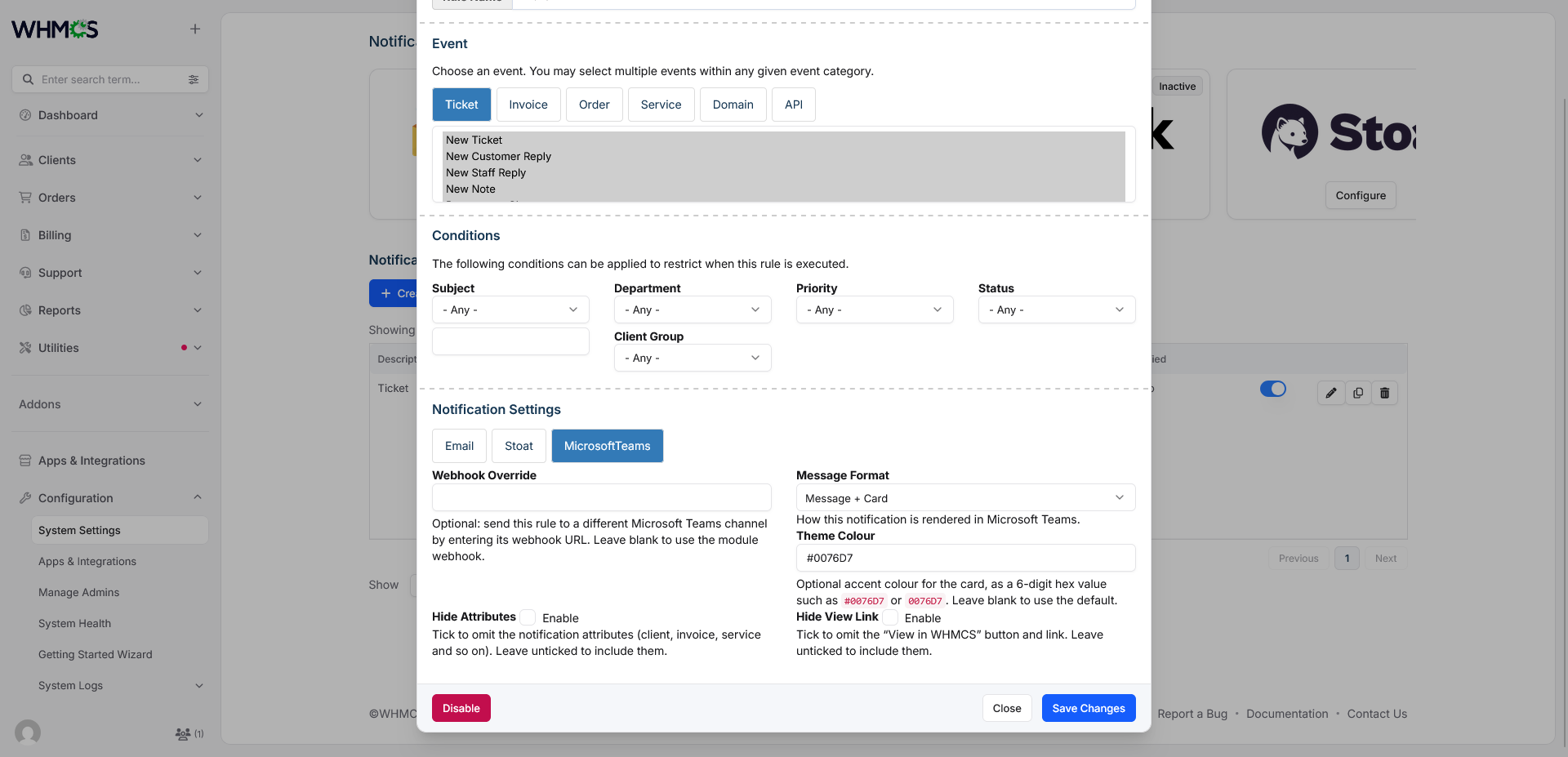
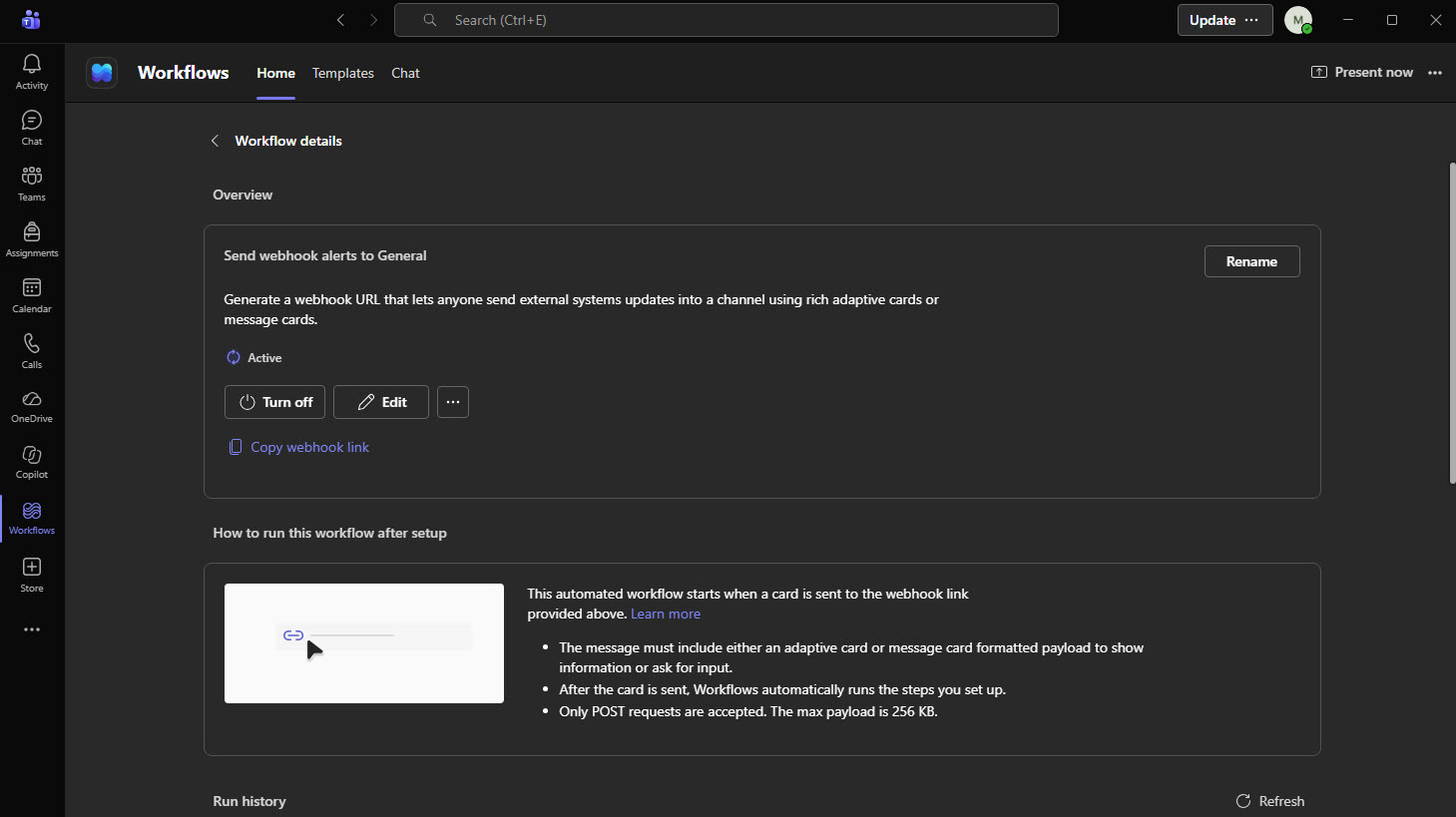
Microsoft Teams Notifications for WHMCS is a notification provider that delivers rule-based WHMCS alerts straight to your Microsoft Teams channels. It plugs into the native WHMCS notification system, so it appears next to Email and Slack under Configuration → System Settings → Notifications. It works with the current Teams Workflows trigger URL as well as legacy Incoming Webhook URLs, with no bot registration, no Azure application, no database changes and no addon activation.
Compatible with WHMCS 8.13+ and 9.x.
The Problem It Solves
WHMCS already knows when an invoice is paid, an order is placed, a ticket is opened or a service is suspended. But your team only finds out if someone is watching the admin area or an inbox.
Teams-based support and billing staff often miss these events, or rely on email rules that bury them. Microsoft also retired Office 365 connectors in Teams in May 2026, so older webhook-based integrations need a move to Workflows. This module solves both problems. It puts the right alerts in the right channel at the right time, and it supports the current Microsoft method.
What the Module Provides
The module turns WHMCS events into formatted alert cards inside Teams. WHMCS notification rules decide which event fires, which conditions apply and which provider receives the message. The module then handles the rest: it validates the webhook URL, builds a safe card, keeps it under the Teams size limit, retries without the optional action if Teams rejects the card, and removes the webhook token from logs.
A billing rule and a support rule can post to separate Teams channels while sharing one provider setup.
Features
Delivery
- Native WHMCS provider, so events, conditions and rules stay inside WHMCS
- Works with Teams Workflows trigger URLs and legacy Incoming Webhook URLs
- Per-rule webhook override to send a rule to a different channel
- Three message formats: Message + Card, Message only and Card only
- Per-rule theme color with three- or six-digit hex values
- Optional card header name and icon inside the card
- Attributes such as client, invoice, service and department shown as card facts, with links back to WHMCS
- Optional View in WHMCS button, with options to hide attributes and the link
- Connection test when you save the provider
Reliability
- Card size kept under the Teams 28 KB limit by trimming content in order
- Markdown-aware truncation that closes unfinished code blocks
- Retry without the View action if Teams rejects it, or strict delivery if you prefer failures to be visible
- Clear, administrator-readable errors for HTTP 400, 401, 403, 404, 410, 413, 429 and 5xx responses, plus DNS, connection, timeout and TLS failures
Security
- HTTPS only, with TLS verification and no redirects
- Host allowlist for Teams and Power Automate domains, with an optional custom host setting
- Webhook token and Workflows signature redacted in module logs
- Mentions such as
@everyoneand@hereneutralized so notification text cannot ping the channel - No client data stored by the module
Easy to Run
- No database changes, no core file edits and no addon activation
- Existing rules and settings kept when upgrading
- Eight-page documentation manual with installation, settings, security and troubleshooting guides
Please Note: Source code licenses are delivered manually. A download link will be sent to your PayPal email address within 48 hours of purchase.
Updates Included: Your initial purchase includes 1 year of free updates. After the first year, you can optionally renew your license annually to maintain access to future updates.
There are no reviews yet!
Be the first to review Microsoft Teams Notifications For WHMCS.
Please login and purchase this product to review it.
There are no comments yet!
Start the discussion about Microsoft Teams Notifications For WHMCS.
Please login to post a comment.
Version Compatibility
v1.3.0
WHMCS v8.13.x, WHMCS v9.0.x,, WHMCS v9.1.x
Product Requirements
v1.3.0
- WHMCS 8.13 or later, or WHMCS 9.x (developed and tested on WHMCS 9)
- PHP 8.1 or higher
- PHP extensions: cURL, JSON and mbstring (all standard WHMCS requirements)
- Outbound HTTPS on port 443 to Microsoft Teams or Power Automate (the module does not follow redirects, so the webhook URL must be final)
- A Teams channel where you can create a Workflows webhook or a legacy Incoming Webhook
- A working WHMCS cron, otherwise cron-driven notifications such as invoice reminders and suspensions are never triggered
- No database tables are created, so no additional database permissions are needed
Changelog
1.3.0
Added
- Three per-rule message formats: Message + Card (
both, default), Message only (message) and Card only (card) - Per-rule Webhook Override, so a rule can post to a different Teams channel without changing the provider
- Optional Card Header Name and Card Icon URL branding inside the card
- Per-rule Theme Colour validation: three- or six-digit hex, optional
#, normalised to six uppercase digits - Per-rule Hide Attributes and Hide View Link toggles
- Support for Power Automate Workflows trigger URLs alongside legacy Office 365 Incoming Webhook URLs, using the same MessageCard payload
- Provider settings for Request Timeout, Strict Delivery and Allow Custom Host
- Read-only Version row in the provider configuration dialog
- Webhook validation before every request for both the provider URL and a per-rule override: HTTPS, no credentials, no fragment, host allowlist, path shape, port and signature rules
- Actionable error mapping for HTTP 400, 401, 403, 404, 410, 413, 429 and 5xx, plus cURL DNS, connection, timeout and TLS failures
- Detection of Teams errors returned inside an HTTP 2xx response
- Log redaction for both legacy tokens and Workflows signatures
- Payload size enforcement with fact trimming, message truncation and a clear failure when nothing can be removed
- Markdown-aware truncation that closes an unterminated code fence
- Mention neutralisation for
@everyone,@here,@channeland@online - Full README and eight-page HTML documentation site
Changed
- The default theme colour is now
0076D7for both the test card and notifications - The connection test is always strict, so setup problems surface immediately
whmcs.jsondeclarestype: whmcs-notificationsand version1.3.0- Attribute values are HTML-decoded and stripped of HTML before rendering
- Empty attributes no longer produce dangling separators or blank facts
Fixed
- Undefined-index warnings when the webhook, theme colour or attributes were missing
- cURL failures were ignored; the module now checks the error number, HTTP status and response body
- A valid empty or JSON response was incorrectly treated as a failure because it was not the string
1 - Rules with no attributes produced an empty card section
- Long notifications could exceed the Teams payload limit
- Repeated HTML-escaping of
&in Workflows URLs no longer causes HTTP 401 on provider save; the module decodes every escape layer - Message Format now saves and reloads correctly when another provider also defines a
formatdynamic field; the Teams field usesmessageFormat
Compatibility
- Folder, class, display name and
themeColorrule key are unchanged - Rules without
messageFormatuse the legacyformatkey, then default toboth - Legacy
markdownandembedformat values are mapped, not rejected - Rule appearance uses negative
hideAttributesandhideLinkcheckboxes, because WHMCS does not submit an unchecked rule checkbox. PositiveshowAttributesandincludeLinkvalues are still honoured - No database tables, columns or migration scripts
Released November 14th, 2026
Related Products

Notifications
Stoat Notifications for WHMCS connects the native WHMCS notification system to your Stoat workspace. Once installed, Stoat appears as a notification provider next to the built-in options. You create a notification...