

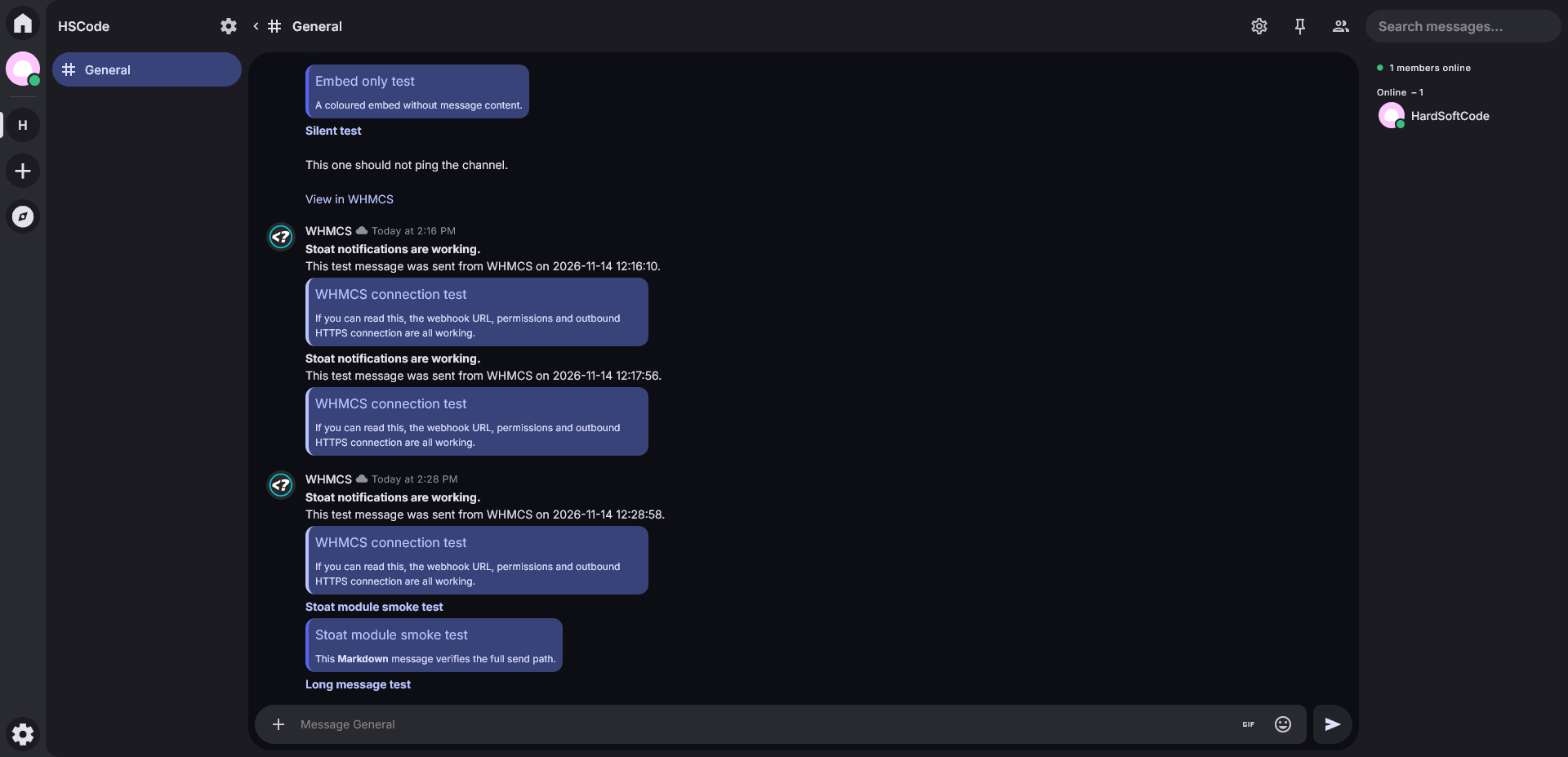
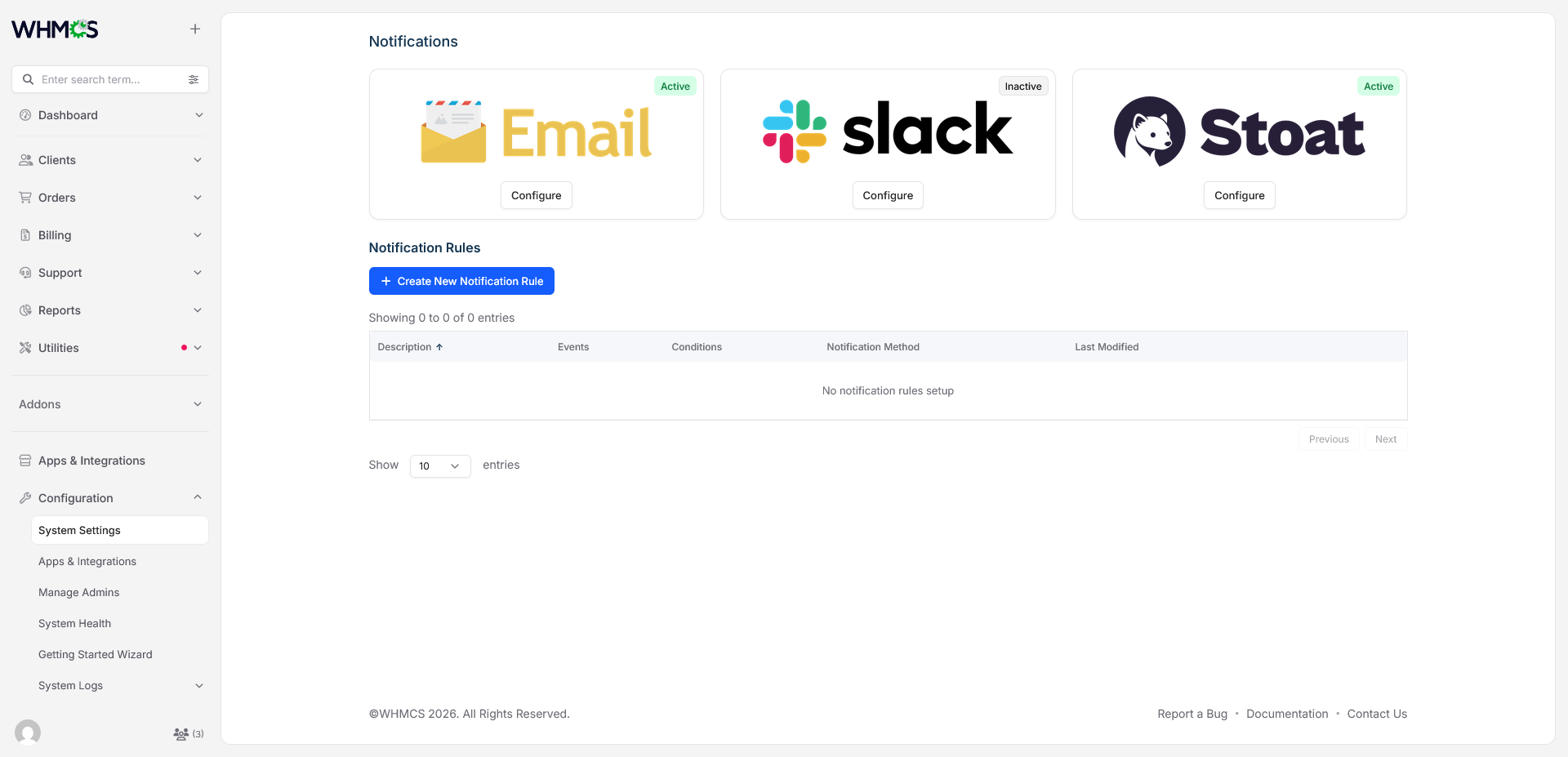
Stoat Notifications for WHMCS connects the native WHMCS notification system to your Stoat workspace. Once installed, Stoat appears as a notification provider next to the built-in options. You create a notification rule, select Stoat, and WHMCS posts each matching event into the Stoat channel of your choice through a webhook. Stoat renders Markdown on the client side, so messages arrive formatted, with bold titles, linked headings, tidy attribute lists and colour-coded embeds, instead of a block of plain text.
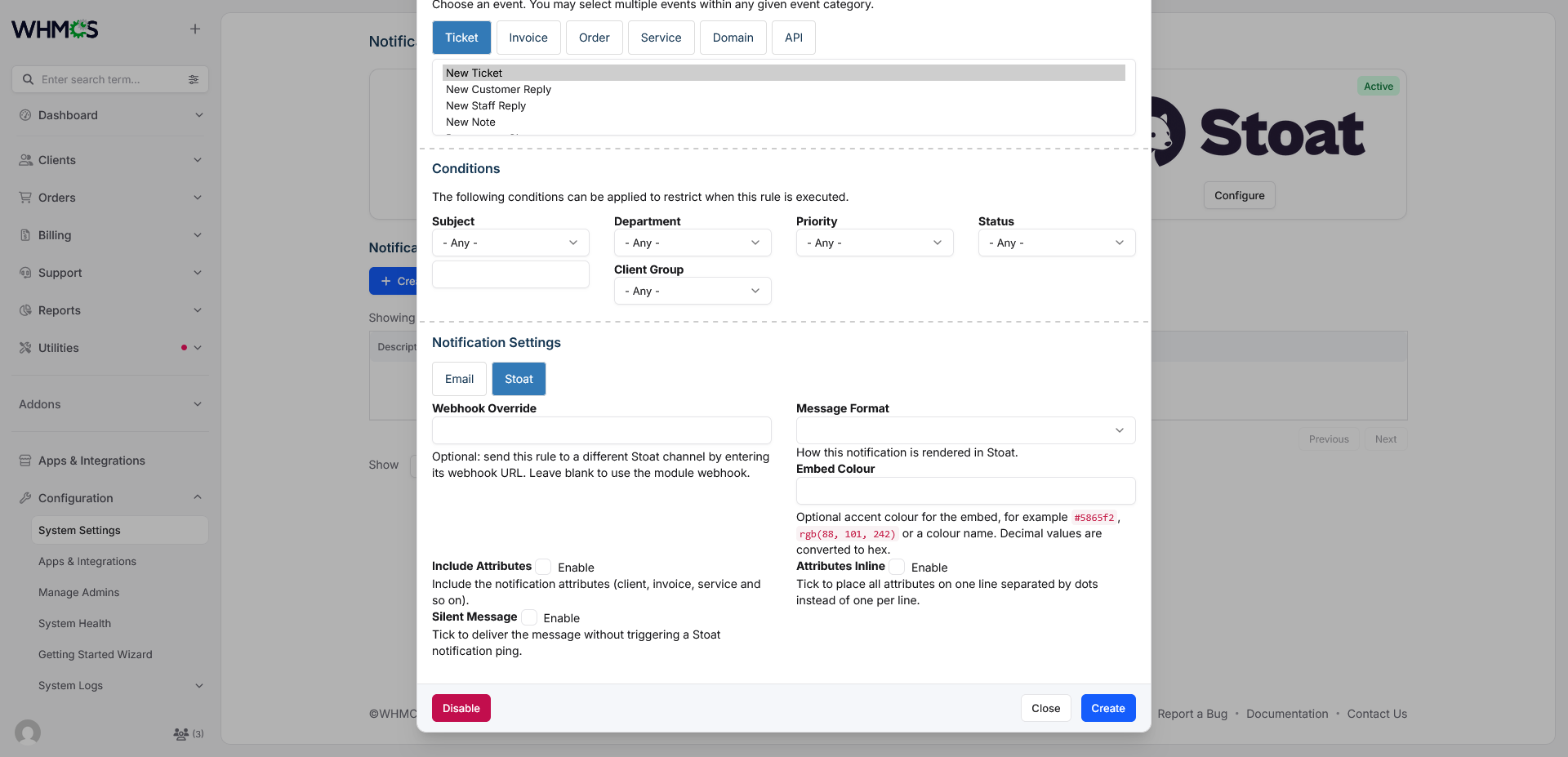
The module is built for teams that live in Stoat and want billing, support and system events in front of them without watching email or refreshing the admin area. A paid invoice, a new order, a support ticket or a failed payment can each go to a different channel with its own format, colour and sender identity. You can send a full message with an embed, a compact Markdown-only message, or an embed-only card, and choose per rule whether attributes such as client, invoice, service and department are included, shown one per line, or collapsed into a single inline row. Silent messages let low-priority events appear in the channel without pinging anyone.
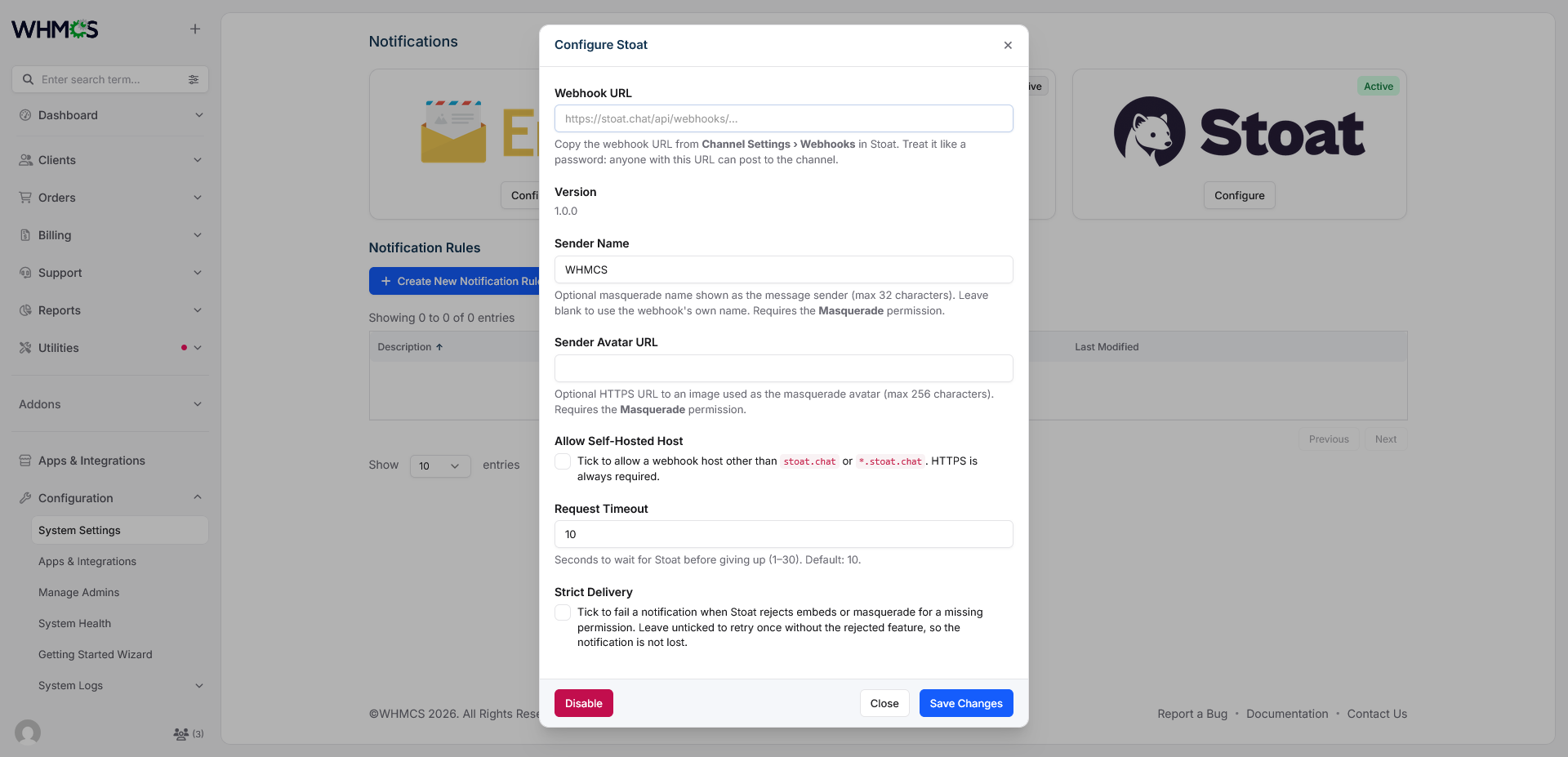
Setup is deliberately simple. There are no database changes and no addon activation step. Copy the Stoat folder into modules/notifications/, paste the webhook URL from your Stoat channel settings, and save. WHMCS immediately posts a connection test, and the test is always strict, so a missing SendMessages, SendEmbeds or Masquerade permission shows up while you configure the provider rather than the first time a real invoice is paid. Provider settings and notification rules are stored by WHMCS, so upgrades are as easy as replacing the folder and saving the configuration once.
Reliability and security are treated as core features. Every webhook URL is validated before each request: HTTPS only, no embedded credentials, no query string or fragment, a correct webhook path, and a host limited to stoat.chat or *.stoat.chat unless you enable self-hosted mode. TLS is verified, redirects are not followed, and the webhook token is redacted from module log entries. Content, embed titles, descriptions and sender names are checked against Stoat's limits before sending, with Markdown-aware truncation that closes unfinished code blocks. Mentions such as @everyone, @here and @online are neutralised, so notification text can never ping an entire server. When Stoat rejects an optional feature, you decide the behaviour: fail loudly with Strict Delivery, or retry once without the rejected embed or masquerade. Stoat error types are mapped to clear, actionable messages, covering missing permissions, invalid tokens, slowmode and more.
If you are moving from the Guilded notification module, the transition is easy. Decimal embed colours are converted to hex automatically, and attributes that Stoat embeds can't hold as separate fields are folded into the embed description as Markdown. Self-hosted Stoat instances are supported, and a full eight-page documentation site covers installation, permissions, settings, message formats, worked examples, security and troubleshooting.
The Problem It Solves
WHMCS events like new orders, paid invoices, support tickets and failed payments are easy to miss when they only land in email or the admin area. Teams that already work in Stoat have to check a second place, and generic webhook workarounds usually send plain, unformatted text that is hard to scan, can't be routed per event, and often leaves webhook URLs exposed in logs.
What the Module Provides
Stoat Notifications for WHMCS adds Stoat as a native provider in the WHMCS notification system. Create a notification rule, choose Stoat, and WHMCS posts formatted messages straight into your Stoat channel through a webhook. Each rule can use its own channel, format and colour, so billing, support and system alerts can go where they belong. There are no database changes and no addon activation. Copy the folder, paste your webhook URL, and save.
Features
Message delivery
- Three formats: Message + Embed (default), Message only, or Embed only
- Markdown rendering for titles, messages, and attribute labels and values
- Rich embeds with title, description, link and custom colour
- Optional silent messages that don't ping the channel
- Attributes (client, invoice, service, department and so on) shown as separate lines or on one inline row
Routing and appearance
- Per-rule webhook override to send each rule to a different channel
- Optional custom sender name and avatar through Stoat masquerade
- Per-rule embed colour, with Guilded-style decimal colours converted to hex automatically
Reliability
- Strict Delivery toggle: fail on a rejected feature, or retry once without it
- Embed-only notifications never degrade to an empty message
- Connection test on save, so missing permissions show up during setup
- Markdown-aware truncation that closes unfinished code blocks
- Configurable request timeout (1-30 seconds)
- Actionable error messages for Stoat errors such as missing permissions, invalid tokens and slowmode
Security
- HTTPS only, with TLS verification and no redirect following
- Strict webhook URL validation before every request
- Host restricted to
stoat.chatunless self-hosted mode is enabled - Webhook token redacted from module logs
@everyone,@hereand@onlinementions neutralised in notification text
Please Note: Source code licenses are delivered manually. A download link will be sent to your PayPal email address within 48 hours of purchase.
Updates Included: Your initial purchase includes 1 year of free updates. After the first year, you can optionally renew your license annually to maintain access to future updates.
There are no reviews yet!
Be the first to review Stoat Notifications For WHMCS.
Please login and purchase this product to review it.
There are no comments yet!
Start the discussion about Stoat Notifications For WHMCS.
Please login to post a comment.
Version Compatibility
v1.0.0
WHMCS v8.13.x, WHMCS v9.0.x,, WHMCS v9.1.x
Product Requirements
v1.0.0
Server
- WHMCS 8.13+ or 9.x
- PHP 8.1 or higher
- PHP cURL extension
- PHP JSON extension
- PHP mbstring extension
- Outbound HTTPS access from your server to Stoat (
stoat.chat, or your self-hosted Stoat host)
Stoat
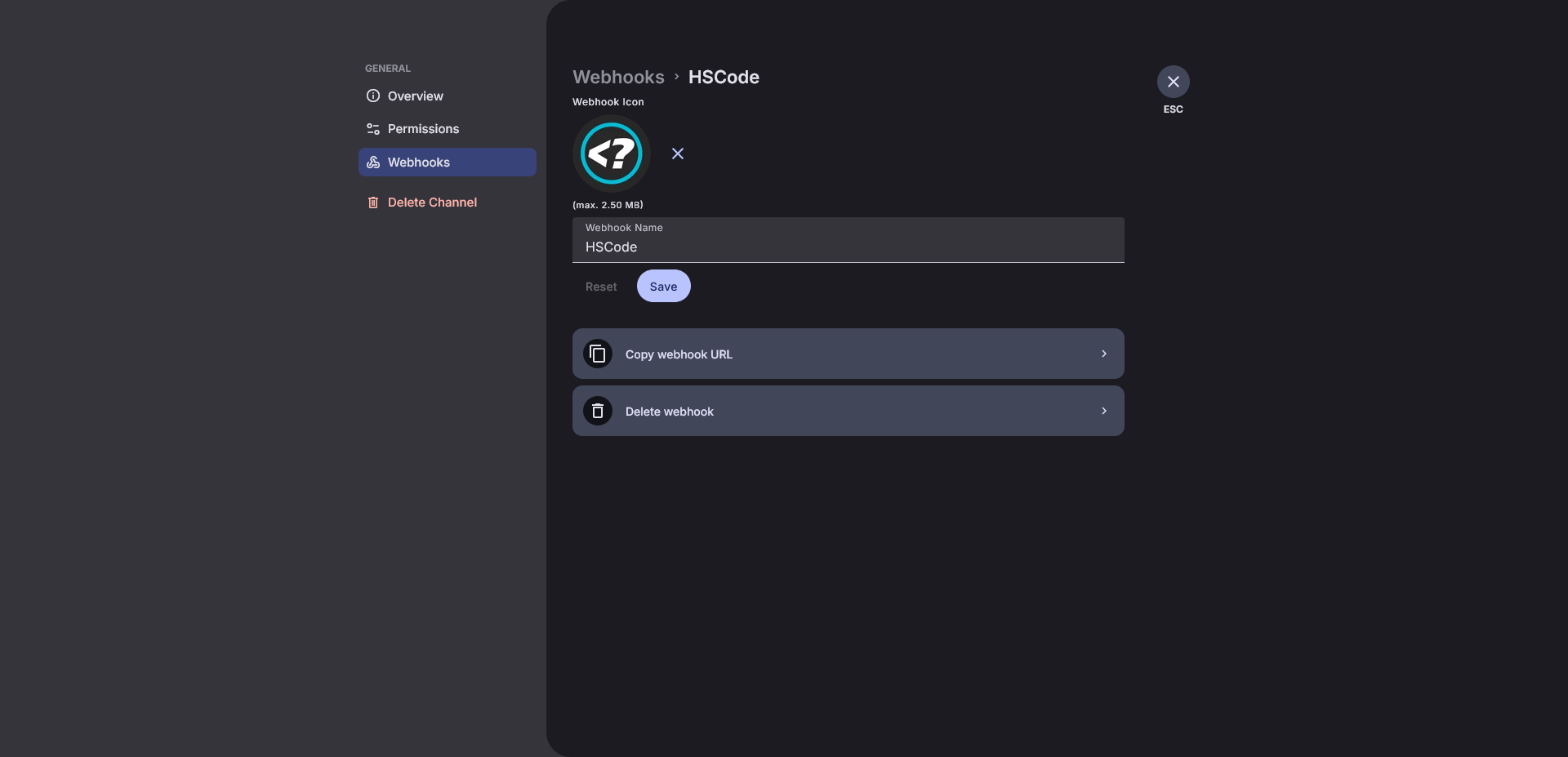
- A Stoat channel with a webhook created (Channel Settings › Webhooks)
- Webhook permissions:
SendMessages: always requiredSendEmbeds: required for the Embed only and Message + Embed formatsMasquerade: required only if a sender name or avatar is configured
Not required
- No database changes
- No addon activation
ManageRoleandMentionEveryonepermissions are not used
Changelog
v1.0.0
- Stoat notification provider for the native WHMCS notification system, implementing
NotificationModuleInterface. - Read-only Version row in the provider configuration dialog.
- Three message formats: Message + Embed (
both, default), Message only (markdown) and Embed only (embed). - Markdown rendering for titles, messages, attribute labels and attribute values.
- Stoat
SendableEmbedsupport withtitle,description,urland CSScolour. - Per-rule webhook override, so each rule can target a different channel.
- Optional masquerade sender name (for example
WHMCS) and avatar, requiring theMasqueradepermission. - Configurable request timeout, clamped to 1-30 seconds, with a 5 second connection cap.
- Self-hosted Stoat support through Allow Self-Hosted Host; HTTPS is always required.
- Strict Delivery toggle: fail on a rejected optional feature, or retry once without it. Embed-only notifications never degrade to an empty message.
- Connection test on save, always strict, so missing permissions surface during configuration.
- Markdown-aware truncation that closes an unterminated code fence and appends an ellipsis.
- Mention neutralisation for
@everyone,@hereand@online. - Actionable error mapping for Stoat error types:
NotFound,NotAuthenticated,InvalidCredentials,InvalidToken,MissingPermission,FailedValidation,EmptyMessage,InSlowmode,PayloadTooLarge,InternalErrorandDatabaseError. - Webhook URL validation before every request: HTTPS only, no credentials, query string or fragment, path must end in
/api/webhooks/{id}/{token}, host restricted tostoat.chat/*.stoat.chatunless self-hosted mode is enabled. - Module log entries with the webhook token redacted.
Released November 14th, 2026