

SEO Manager gives WHMCS system administrators full control over on-page search engine optimisation of their client area. It injects custom meta tags, Open Graph data, Twitter Cards, canonical URLs and schema.org (JSON-LD) structured data into WHMCS pages, manages URL redirects with hit tracking, lets you edit robots.txt directly from the admin area and generates an XML sitemap (optionally regenerated once per day by the WHMCS cron). It also displays live Google Analytics 4 traffic statistics (sessions, users, page views, top pages and visitor breakdowns) as a tabbed widget on the Dashboard.
The admin interface is built on the native WHMCS (Metronic) theme: records are added and edited in WHMCS ajax modals, lists use DataTables with search, sort and pagination, all destructive actions are confirmed with SweetAlert2 dialogs, and every state change is protected by CSRF tokens.
All module data is stored in three dedicated database tables: hsc_seo_meta, hsc_seo_redirects and hsc_seo_settings. Your data is kept when the module is deactivated — or removed automatically, if you choose to.
Features
Page Meta (per-page SEO overrides)
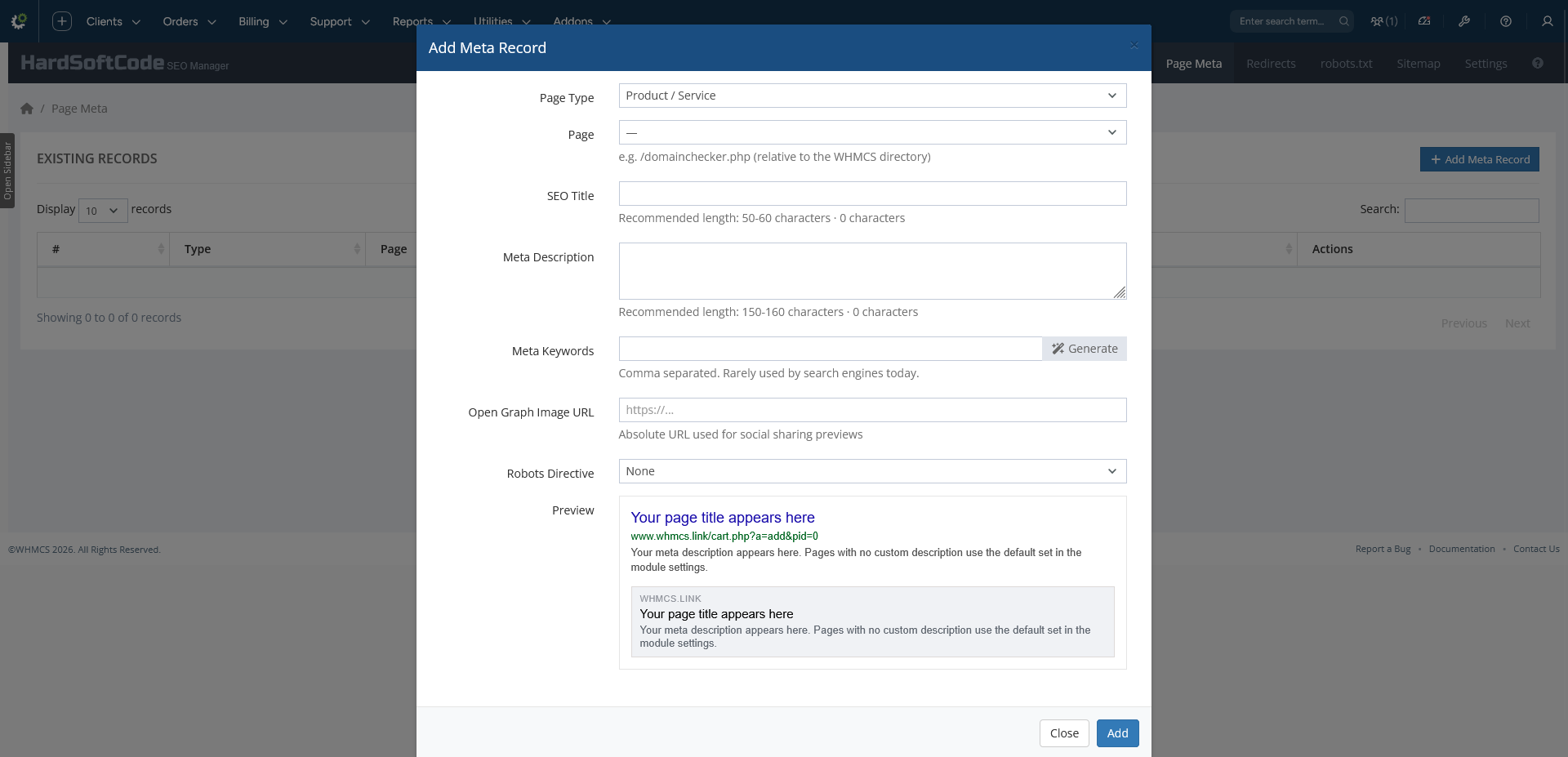
- Custom meta records for Products/Services, Knowledgebase Articles, Downloads, Announcements and any Custom URL.
- Per record: meta title (with length counter and warnings at 60/80 chars), description (160/200 chars), keywords, Open Graph image, robots directive.
- Enable / Disable any record without deleting it (disabled records are ignored by the frontend).
- Live Google search snippet + Open Graph card preview while you type, falling back to the site defaults.
- Automatic detection of pages even when WHMCS Friendly URLs are enabled (
/knowledgebase/1/article-name.html,/cart.php?pid=, routes, …). - Sortable, searchable DataTables list with tooltip for long descriptions.
Redirect Manager
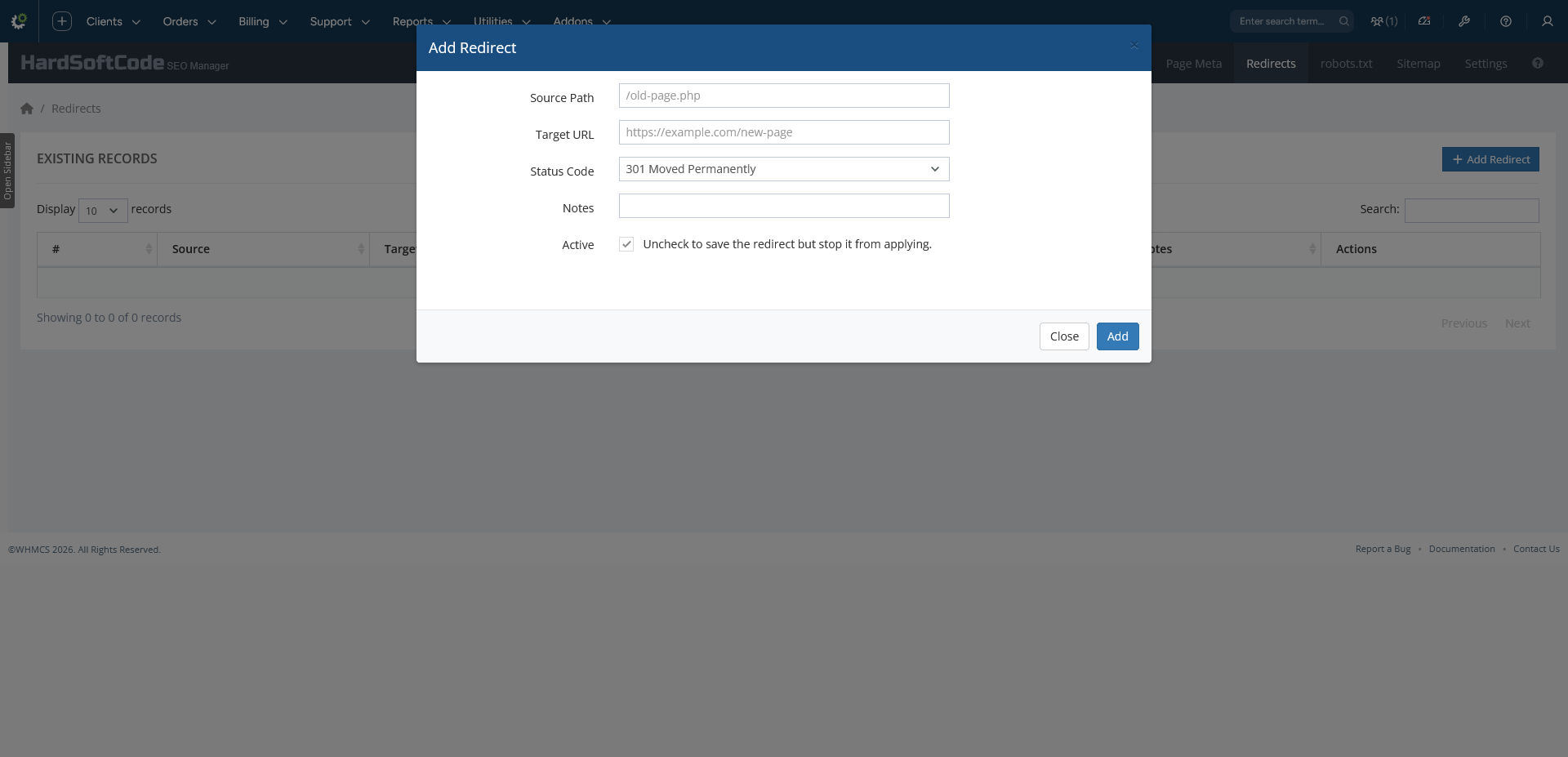
- 301, 302, 307, 308 (permanent/temporary) redirects and 410 Gone.
- Targets as absolute URLs or site paths (normalised automatically).
- Hit counter per redirect (optional, can be reset in one click).
- Enable/disable individual redirects; edit in the same modal as create.
- Validation: required fields, self-loop prevention, duplicate source check.
- Can be switched off entirely (or per record) without losing configuration.
robots.txt Editor
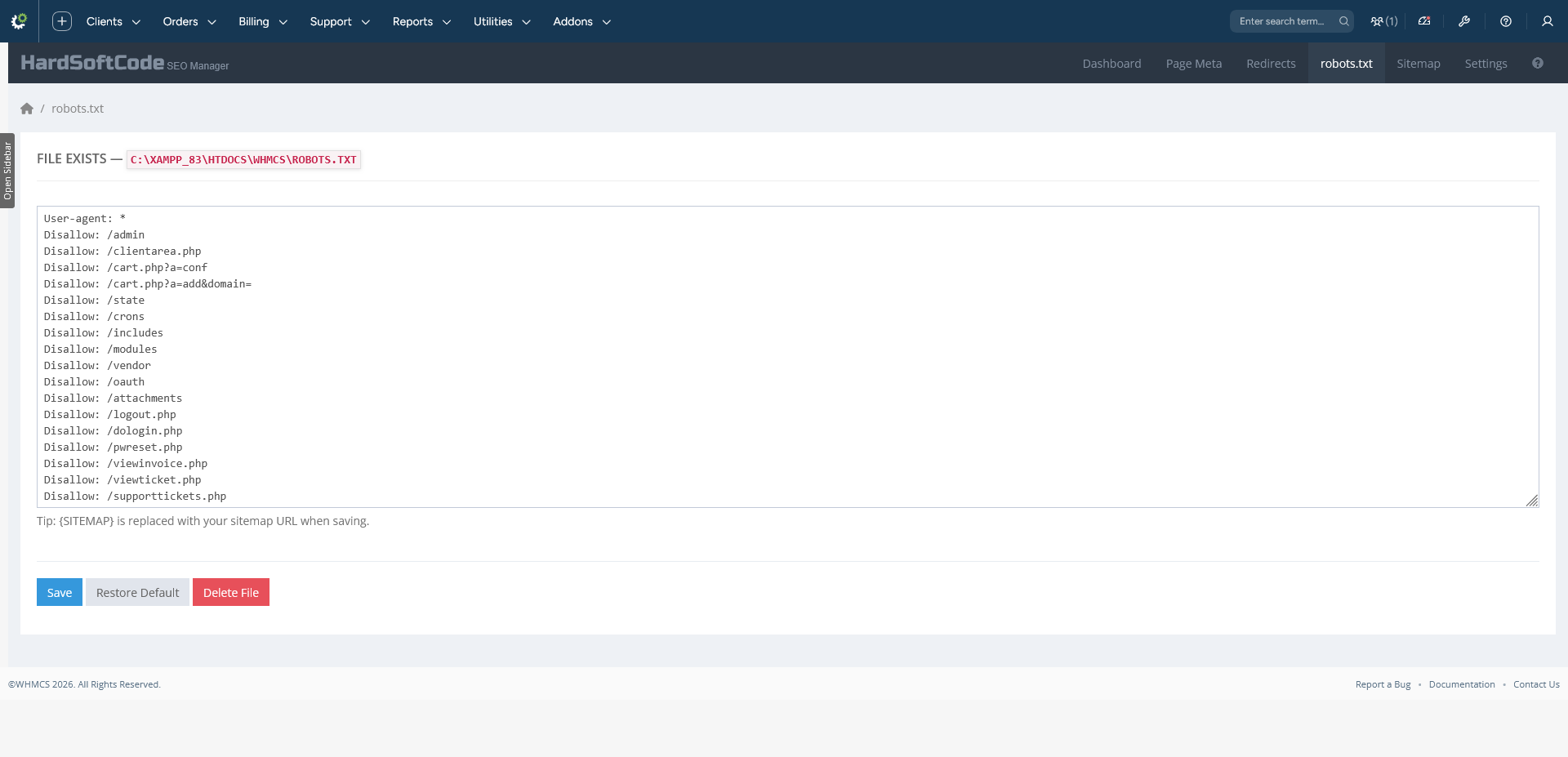
- Edit
robots.txtfrom the admin area — no FTP needed. - Restore Default loads a complete WHMCS-aware template (admin, clientarea, cart, attachments, vendor folders …) with a
{SITEMAP}placeholder resolved to your real sitemap URL. - Delete the file again from the UI; write-permission status is displayed.
XML Sitemap
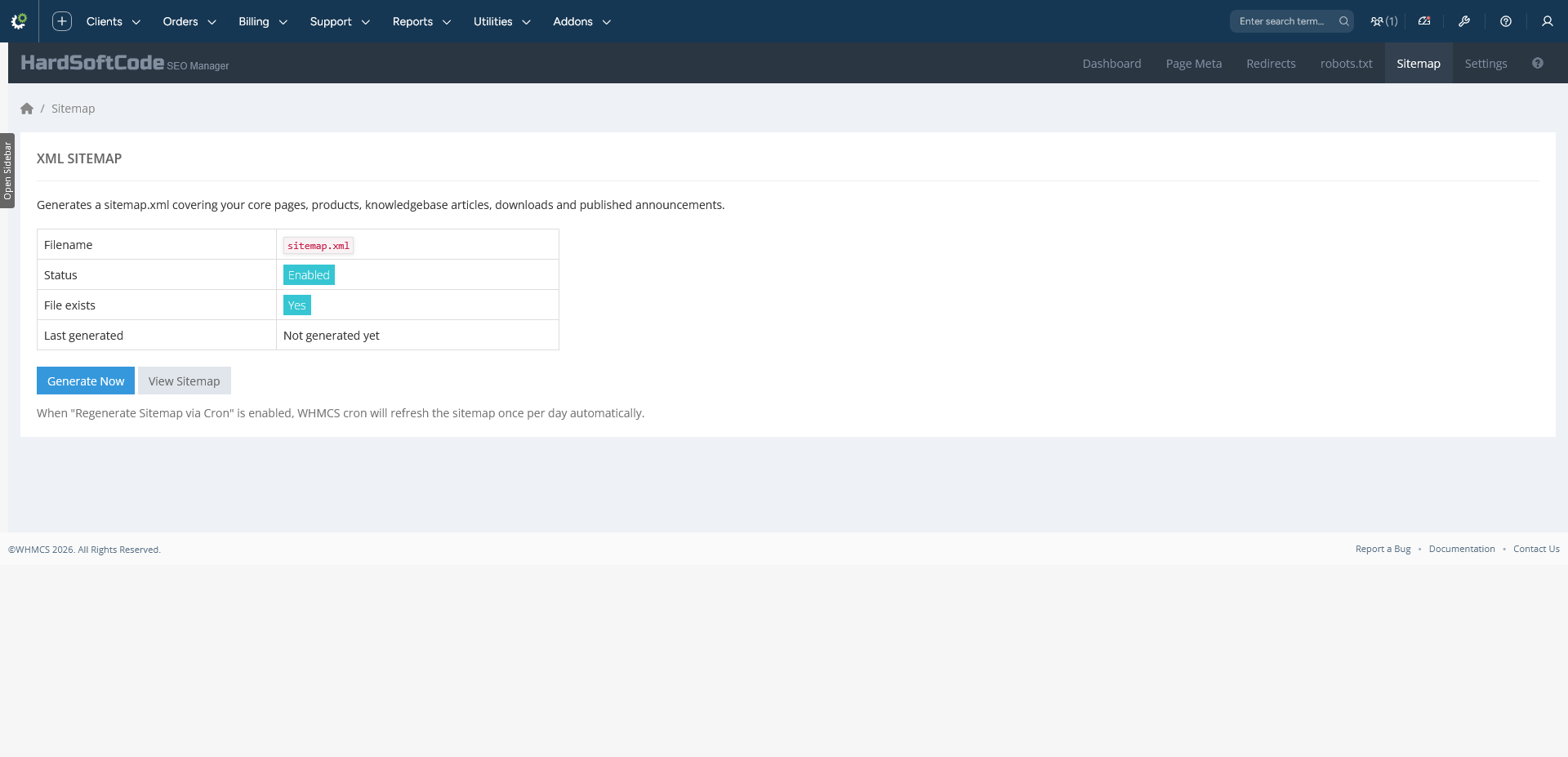
- One-click generation of
sitemap.xmlin the WHMCS root. - Includes core pages plus all visible products, KB categories & articles, downloads and published announcements, with correct
lastmod,changefreqandpriorityvalues. - Configurable filename; optional daily automatic regeneration via cron.
- Ships with a styled XSL stylesheet so opening the sitemap URL in a browser shows a human-friendly index instead of raw XML.
Structured Data & Social
- schema.org JSON-LD:
Organization,WebSite(with SearchAction sitelinks search box),ArticleandProductmarkup — toggle on/off. - Full Open Graph and Twitter Card output (
og:site_name,og:image,twitter:site/creator, …).
Canonical Handling
- Canonical URL emitted on every client area page.
- Optional Force HTTPS; Canonical Host Mode: keep host as requested, strip
www.or addwww..
Google Analytics Dashboard Widget
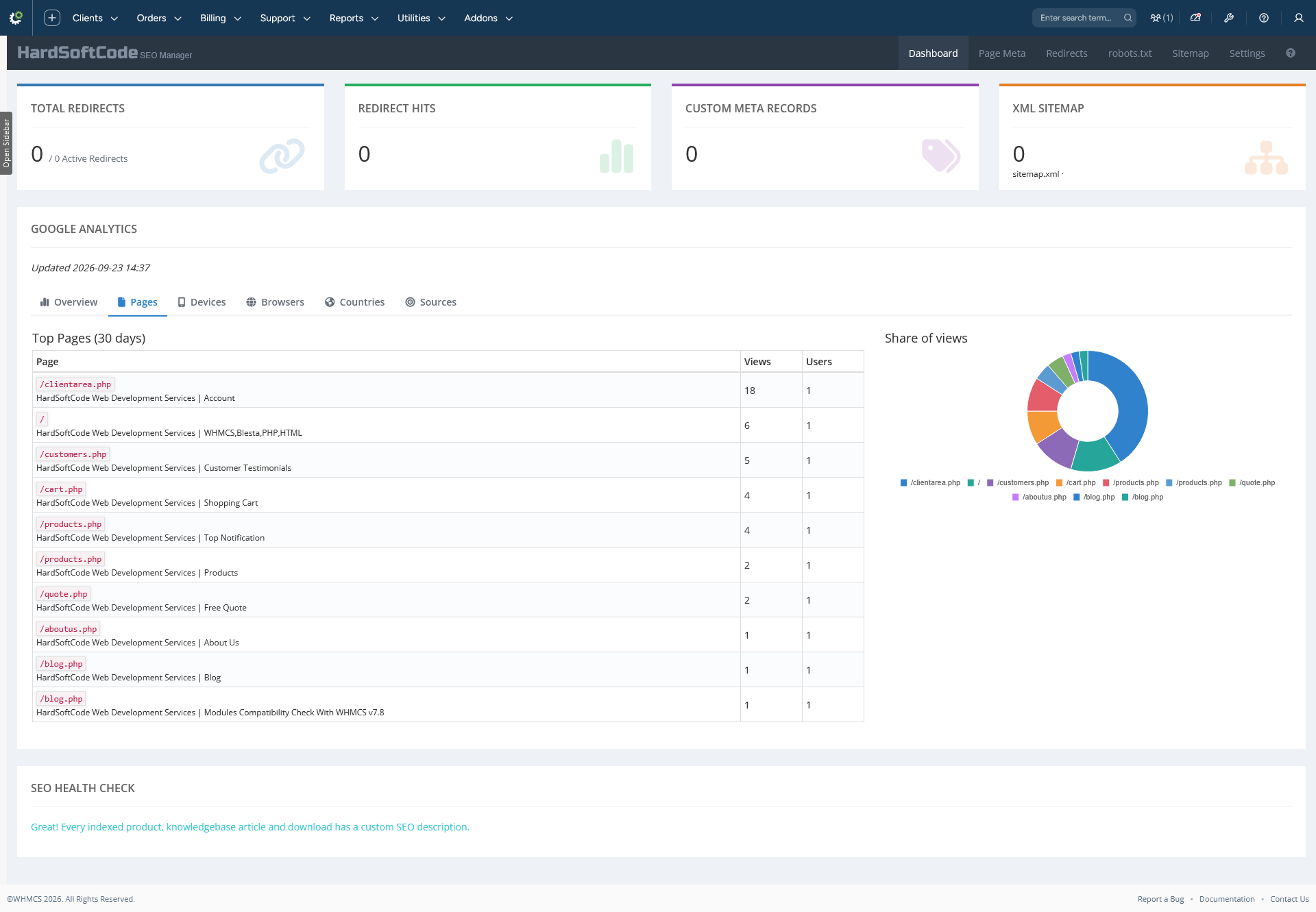
- Live traffic statistics straight from your Google Analytics 4 property, shown as a market-style tabbed widget on the Dashboard:
- Overview — Sessions, Users and Page Views KPI cards with a vs-previous-7-days delta, plus an interactive line chart of the last 14 days with user/session curves.
- Pages — top 10 pages of the last 30 days (path, title, views, users) with a share-of-views doughnut chart.
- Devices / Browsers / Countries / Sources — top 10 visitor breakdowns by device category, browser, country and traffic source, each with a percentage progress bar per row and a share-of-users doughnut chart.
- Connects to the real Analytics Data API (v1beta
runReport) using a Google service account — no third-party analytics libraries or JS tracking code required. - Results are cached for 1 hour; if a refresh fails, the last good snapshot is shown with a "showing cached data" notice.
- Actionable error hints (e.g. API not enabled, missing Viewer role) are shown directly on the Dashboard.
- Rendering is fully self-contained (vendored Chart.js) and keeps working even on admin themes without a full Bootstrap bundle.
Settings & Configuration
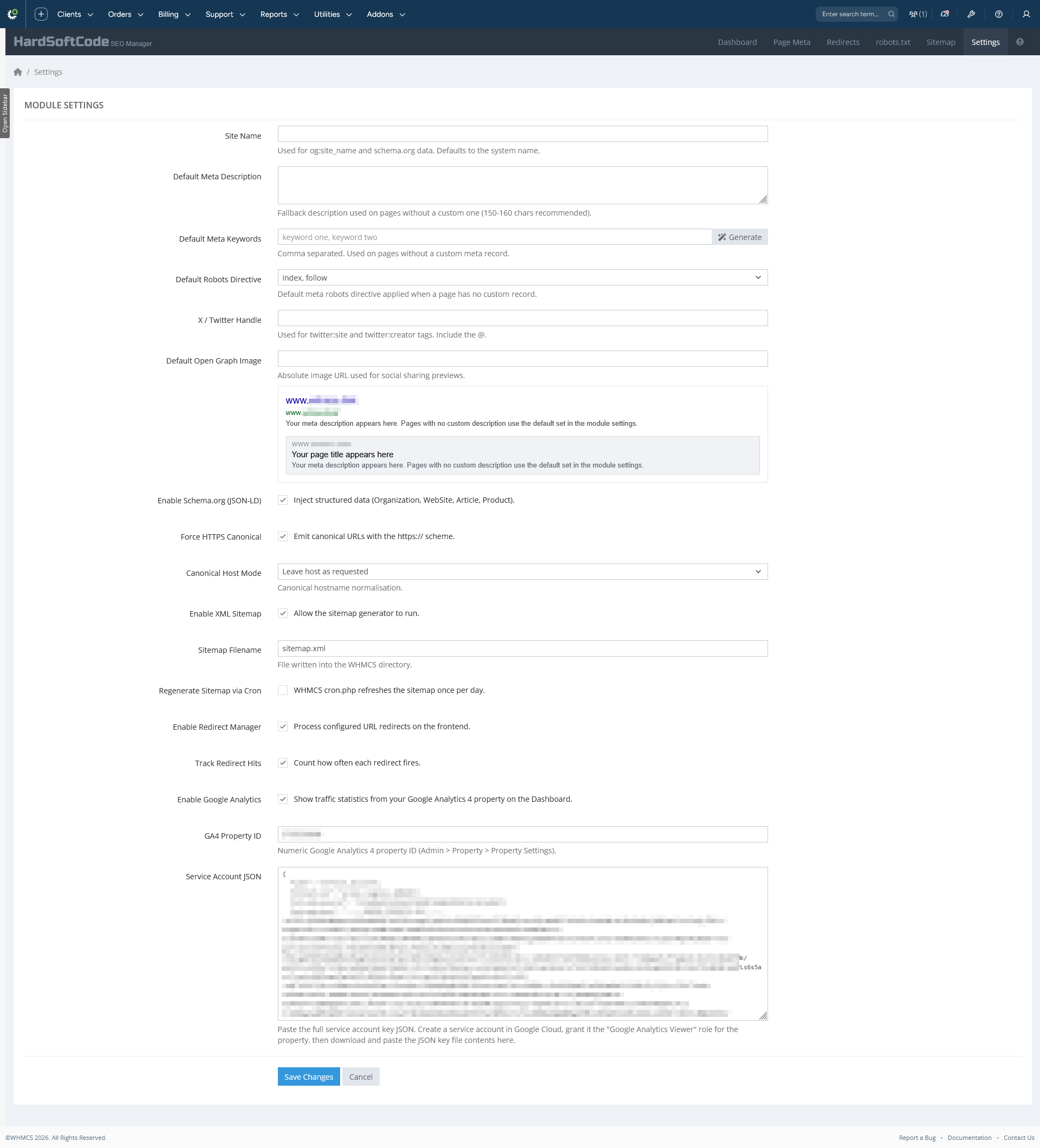
- Dedicated Module Settings page: site name, default meta description, Default Meta Keywords with an automatic keyword generator (one click extracts fresh, randomised keyword combinations from your description), default robots directive, X/Twitter handle, default Open Graph image with a live preview card, JSON-LD / HTTPS / sitemap / redirect toggles and more.
- Configure screen (Setup > Addon Modules): Delete Module Database checkbox — when ticked, deactivating the module removes all its tables; otherwise data survives deactivation and is reused on re-activation.
- WHMCS role-group access control (native addon permissions).
There are no reviews yet!
Be the first to review Advanced SEO Manager For WHMCS.
Please login and purchase this product to review it.
There are no comments yet!
Start the discussion about Advanced SEO Manager For WHMCS.
Please login to post a comment.
Version Compatibility
v1.0.0
WHMCS v8.13.x, WHMCS v9.0.x
Product Requirements
v1.0.0
- WHMCS 8.x or 9.x
- PHP as required by your WHMCS version
- Write permission in the WHMCS base directory (for
robots.txt/sitemap.xml) - Write permission in
modules/addons/seo/templates_c/(compiled templates)
Changelog
v1.0.0
Initial release
- Page Meta — per-page SEO overrides for products, KB articles, downloads, announcements and custom URLs, with live Google-snippet and Open Graph previews, character counters, robots directives and enable/disable toggles.
- Redirect Manager — 301/302/307/308 and 410 Gone with hit counters, validation (self-loop prevention, duplicate source check) and per-record enable/disable.
- robots.txt editor — edit from the admin area with Restore Default (WHMCS-aware template) and Delete File; write-permission status displayed.
- XML Sitemap — one-click generation with core pages, products, KB categories/articles, downloads and announcements; configurable filename; optional daily cron regeneration; styled XSL stylesheet.
- Structured data & social — schema.org JSON-LD (Organization, WebSite with SearchAction, Article, Product) plus full Open Graph and Twitter Card output.
- Canonical handling — canonical on every client-area page, optional Force HTTPS and Canonical Host Mode (keep / strip www. / add www.).
- Google Analytics 4 widget — live sessions/users/page views, top pages and visitor breakdowns via the Analytics Data API with a service account, 1-hour caching, cached-fallback notices and vendored Chart.js.
- Dashboard — status cards for redirects, hits, meta records and sitemap, plus an SEO Health Check.
- Dedicated
hsc_seo_meta,hsc_seo_redirectsandhsc_seo_settingstables with data-preserving deactivation. - Full WHMCS 9 Friendly-URL compatibility for page detection.
- Active menu highlighting on all module admin pages.
- Bundled documentation site (
docs/index.html).
Released November 23rd, 2026
Related Products

Utilities
A complete content management addon for WHMCS that lets system administrators build unlimited rich-content pages in the client area: Internal Pages , Internal PHP Pages , Standalone External Pages , Reusable Page...