

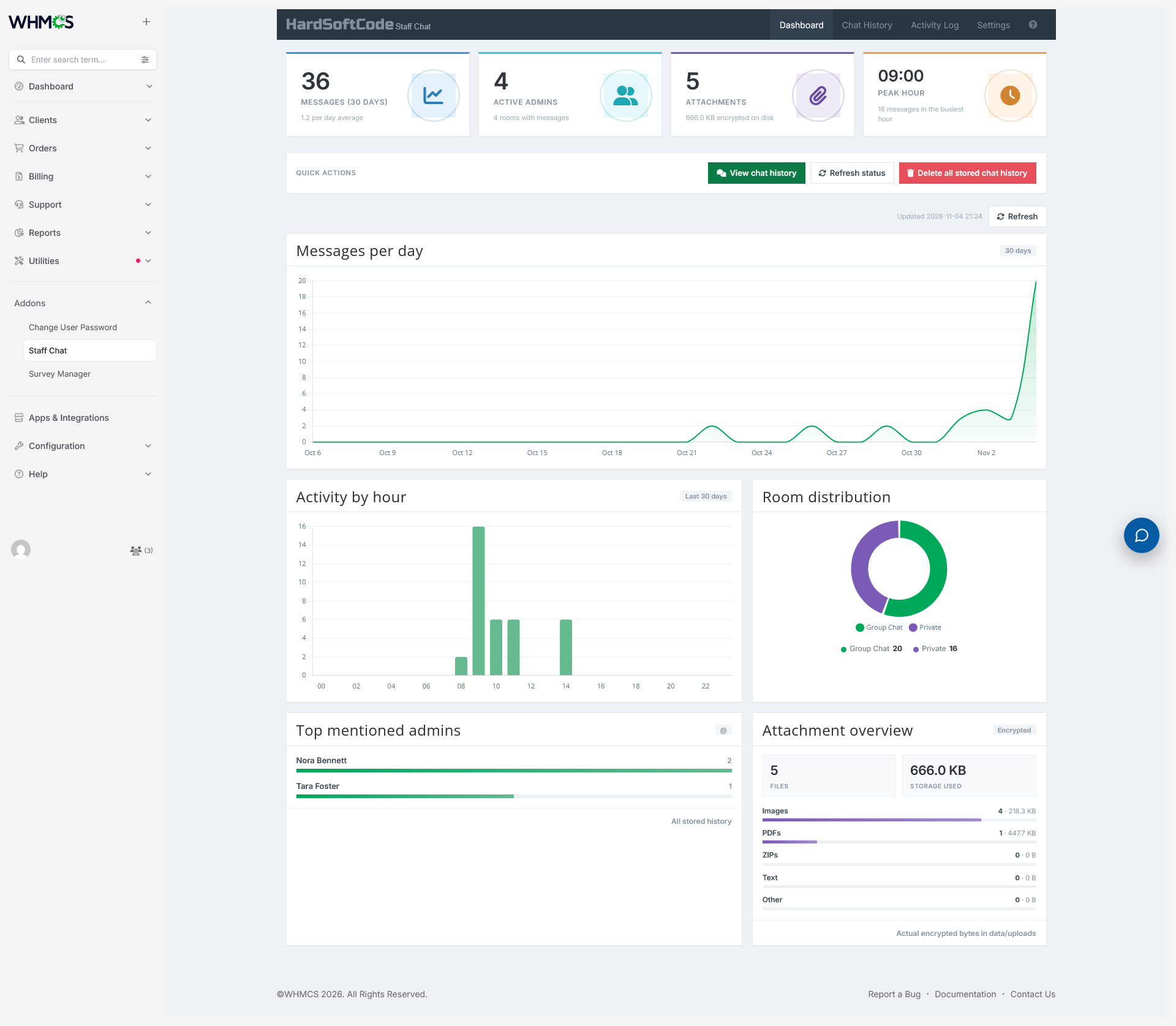
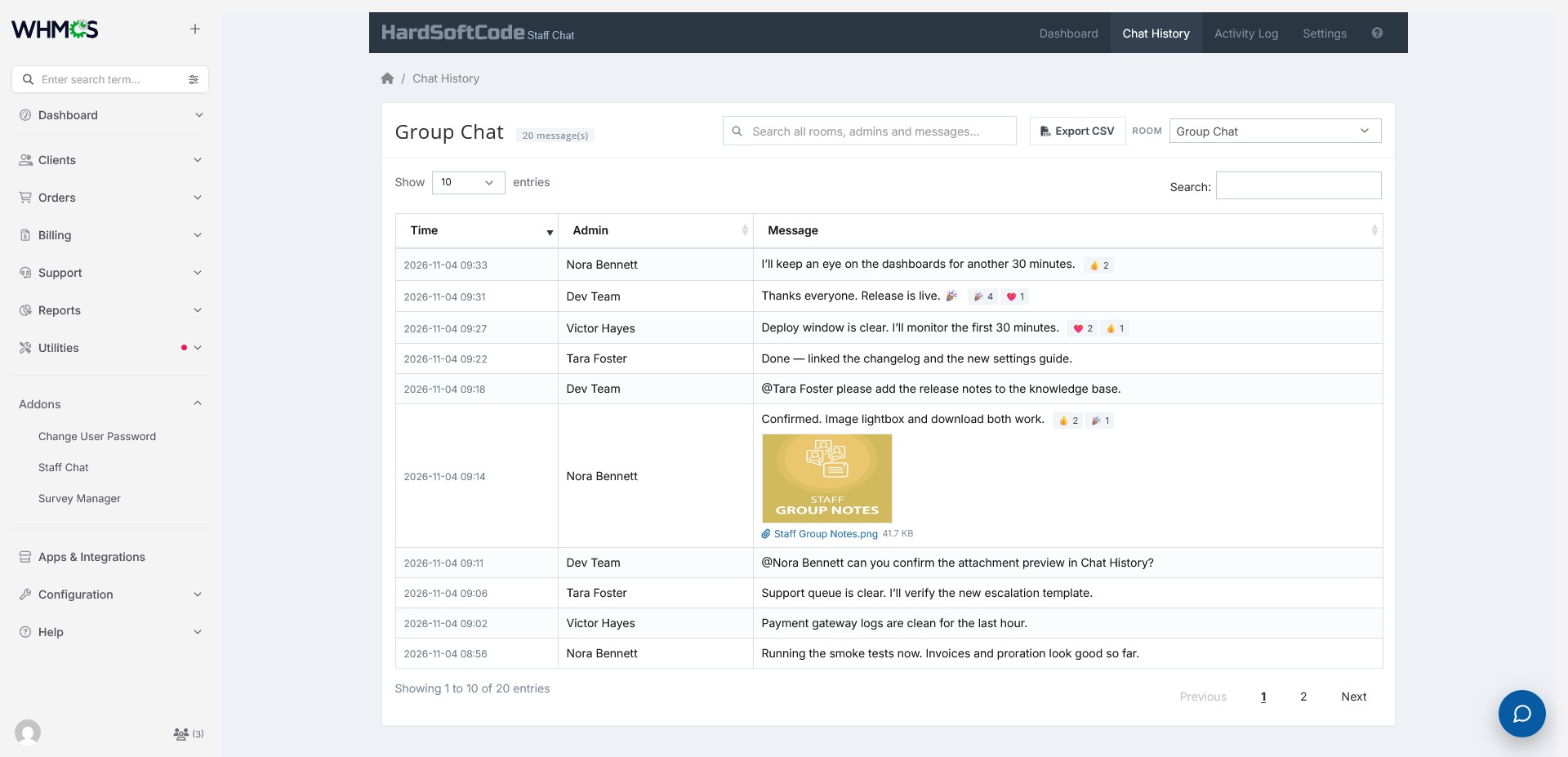
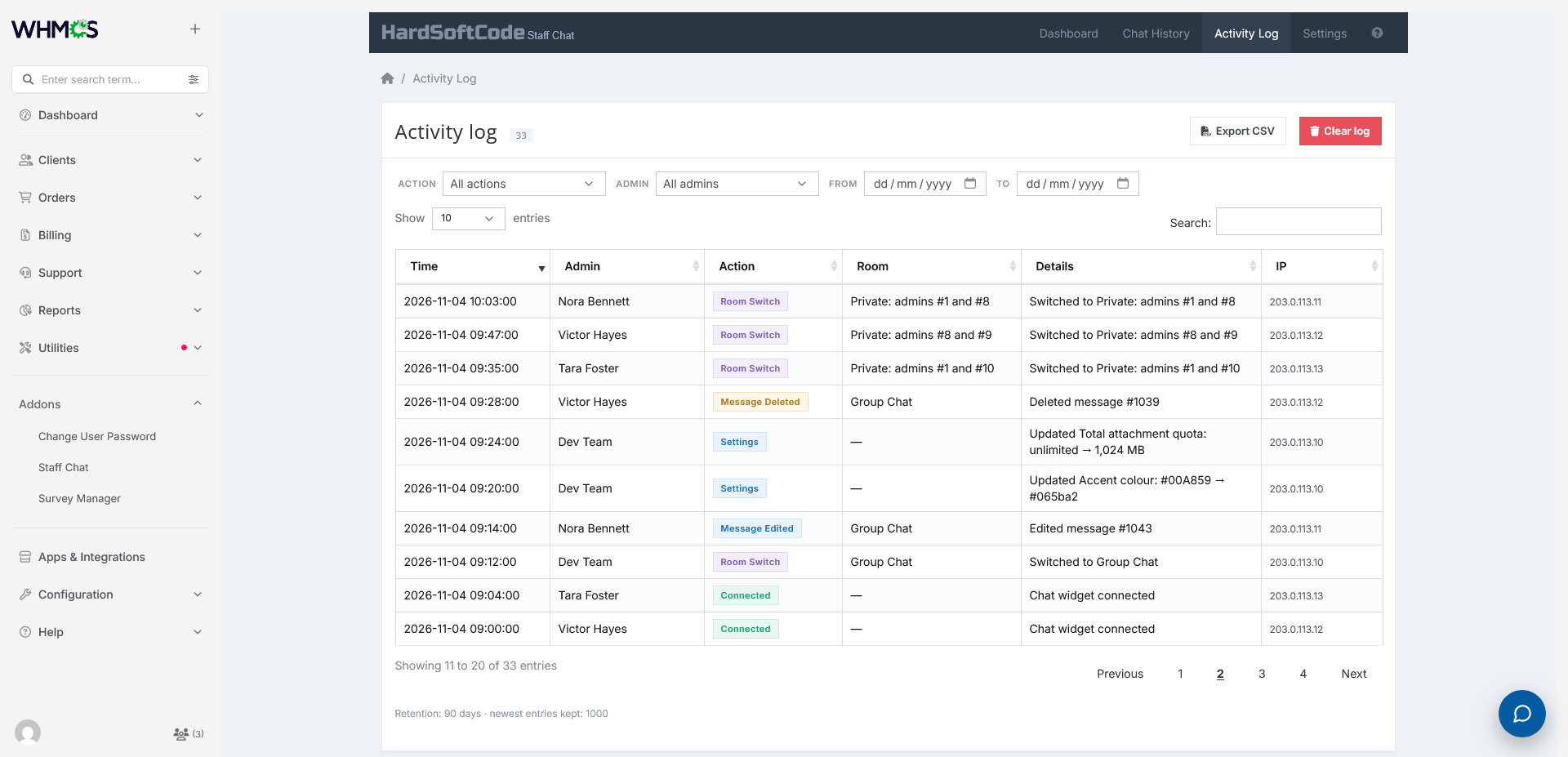
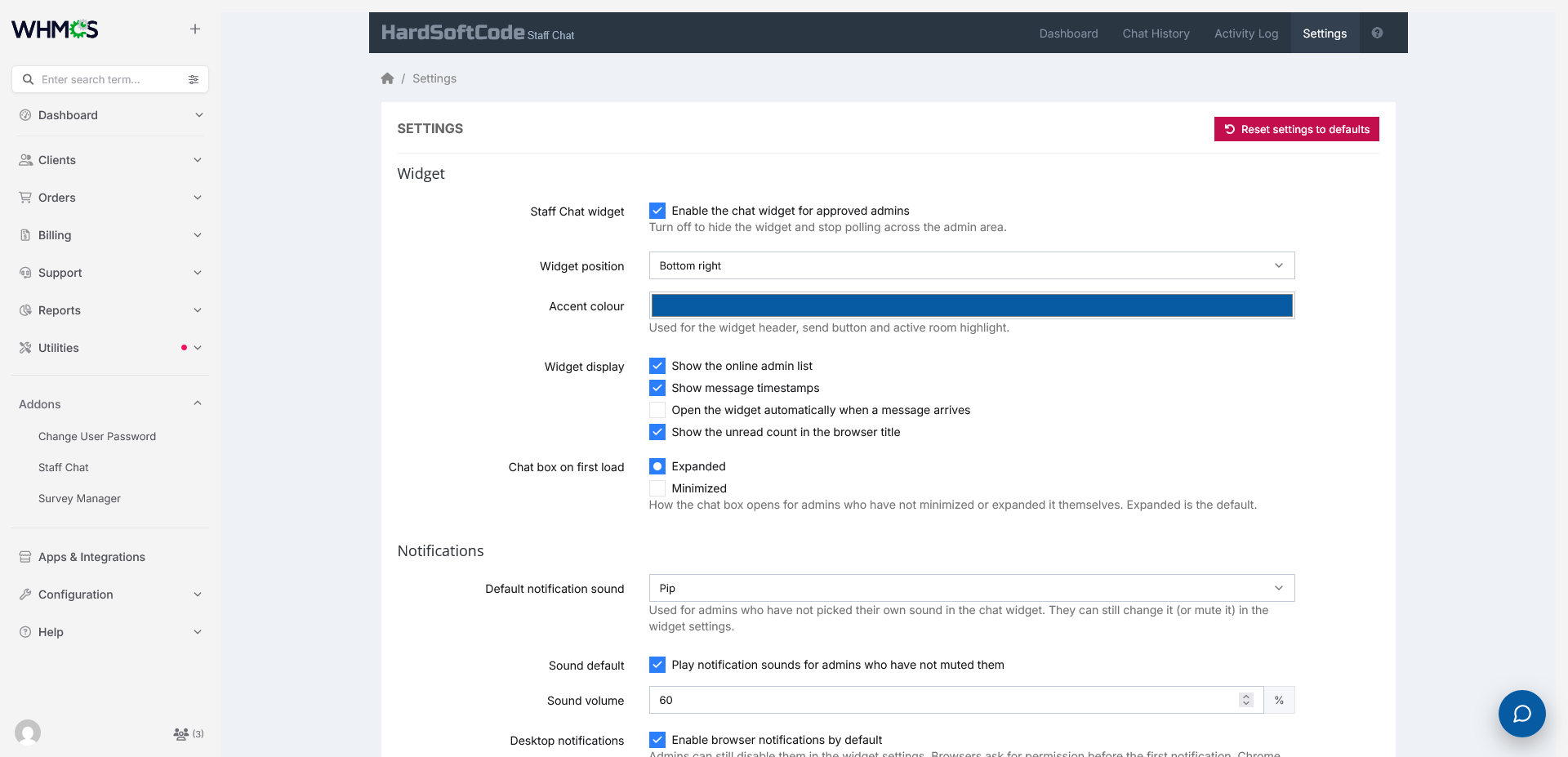
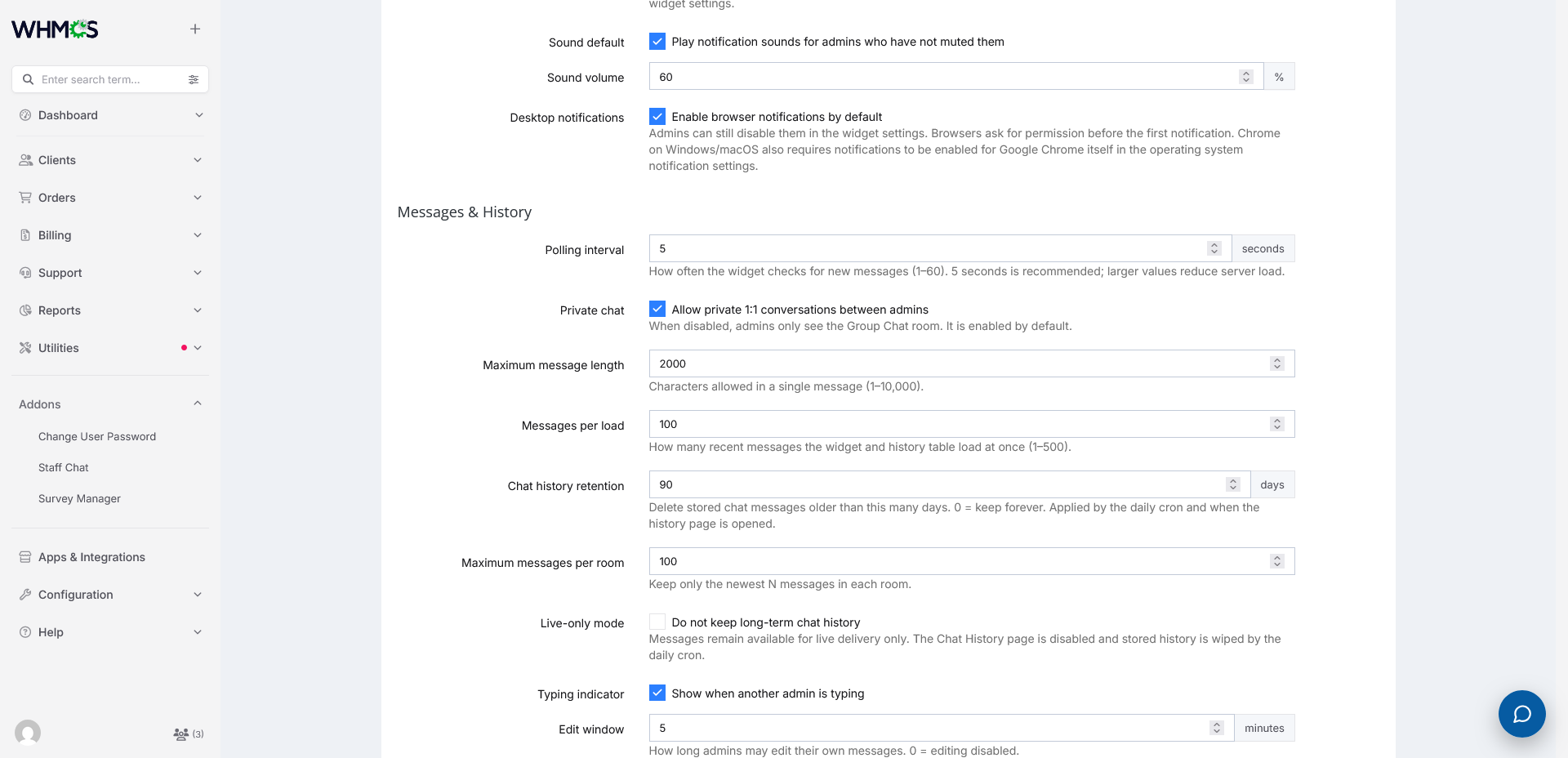
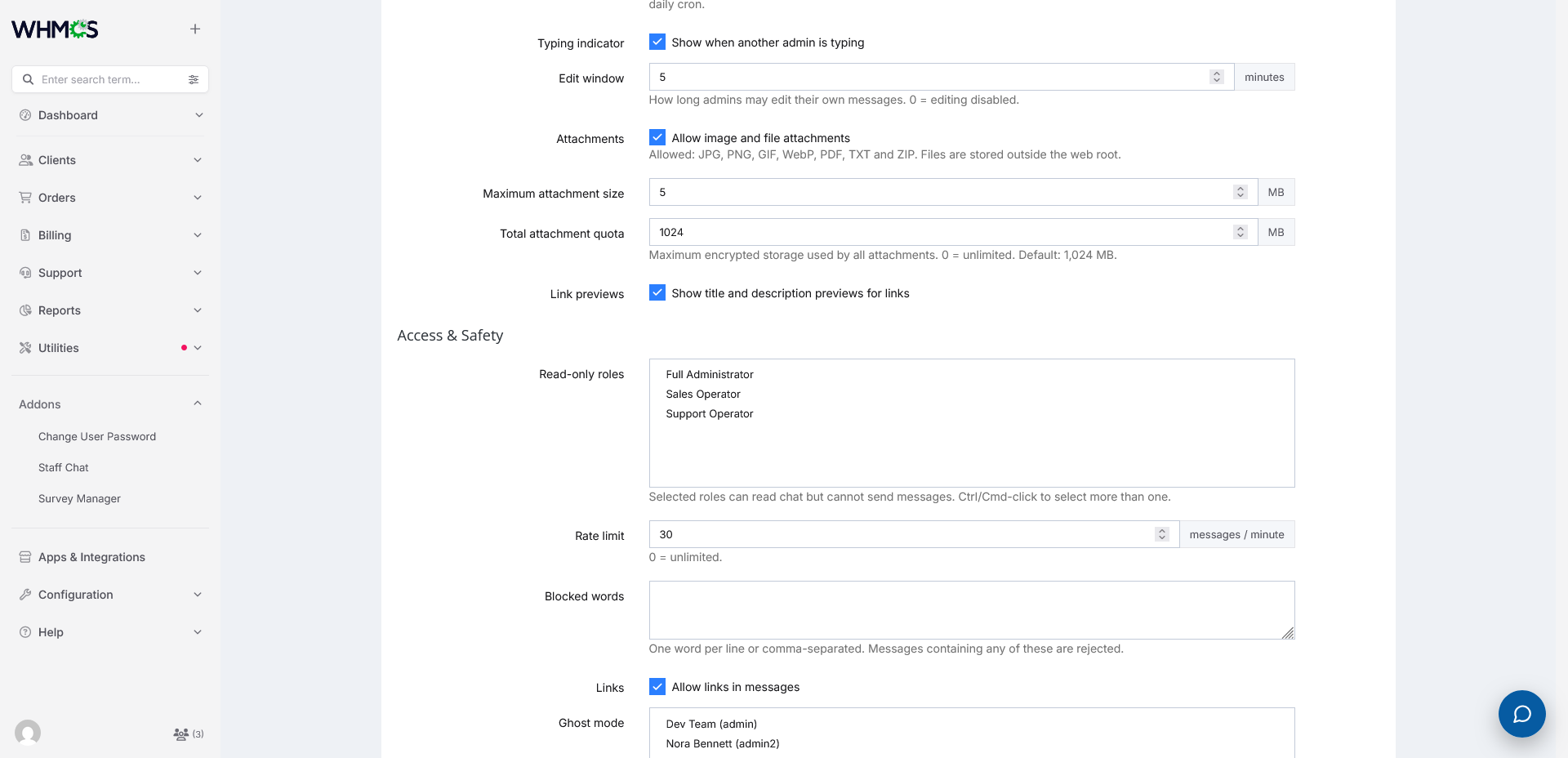
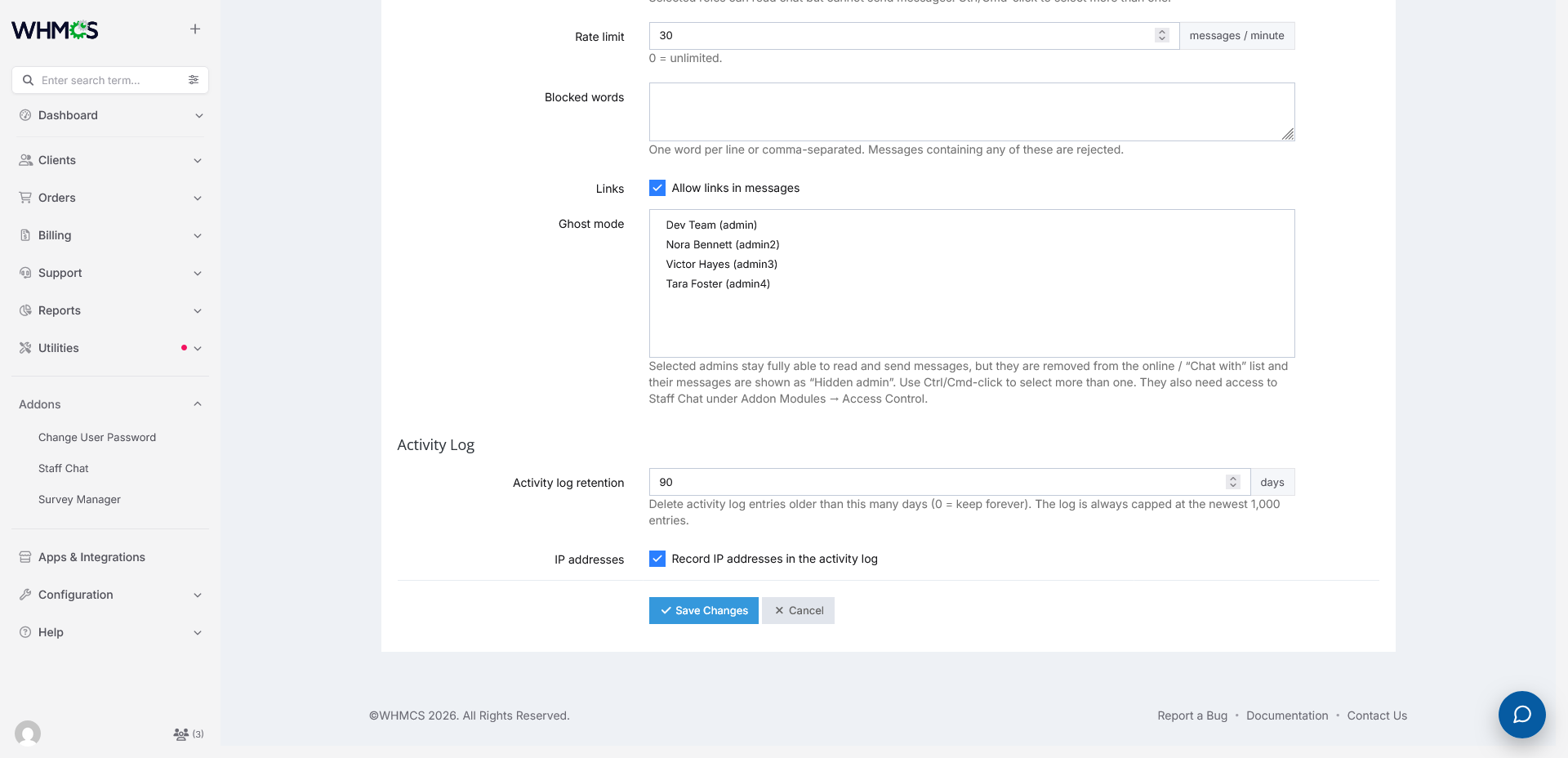
Give your support, billing and technical team a real-time chat inside the WHMCS admin area. Staff Chat adds a floating widget to every admin page, so your team can talk, share files, mention each other and search past conversations without leaving WHMCS or paying for a separate chat tool.
It works with ordinary AJAX polling, so there is no daemon, no extra port and no Socket.IO server to install or maintain. Every message travels through WHMCS itself, so nothing needs to be set up on your server beyond the module folder. If your admin area loads, Staff Chat works.
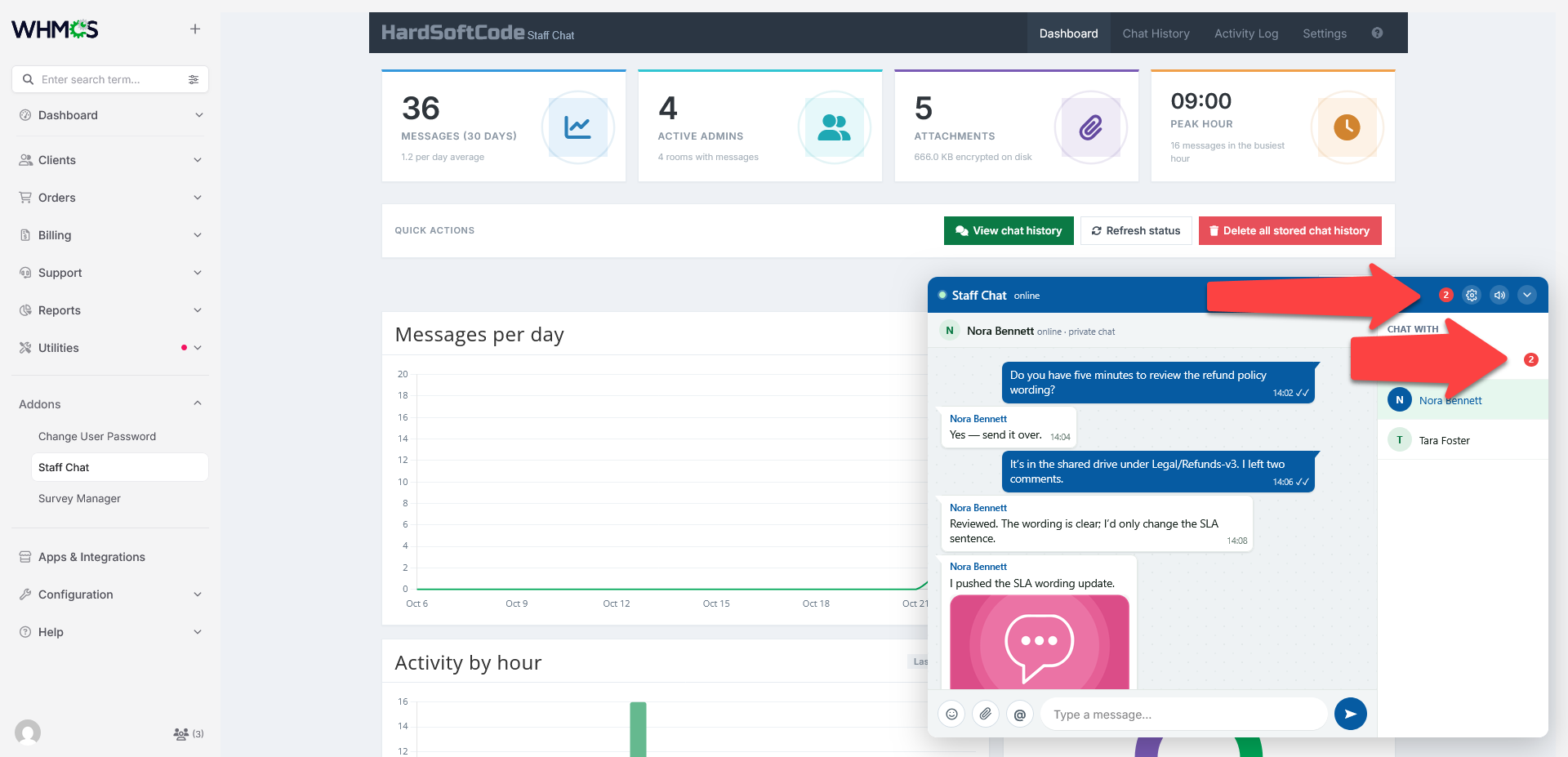
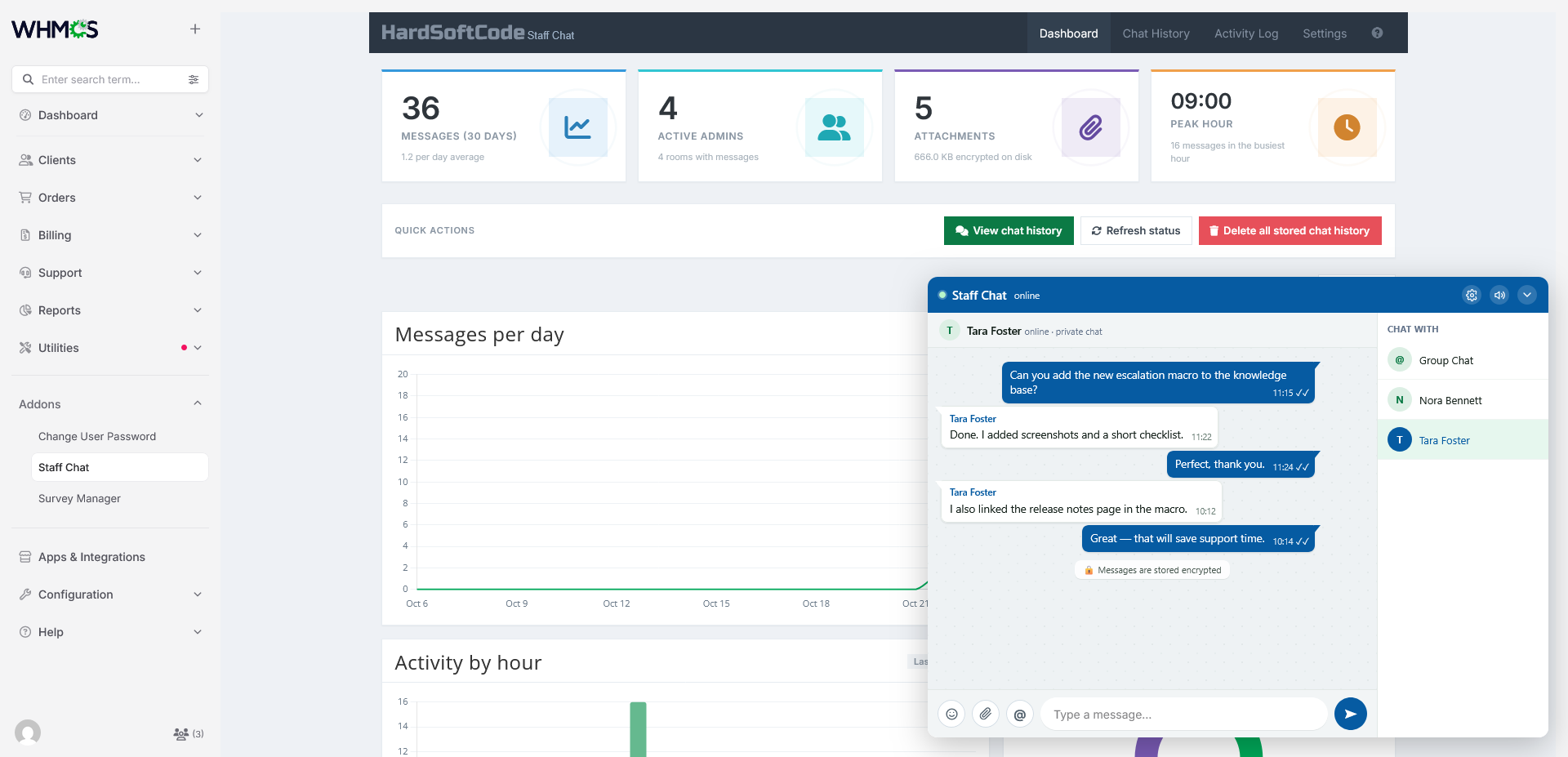
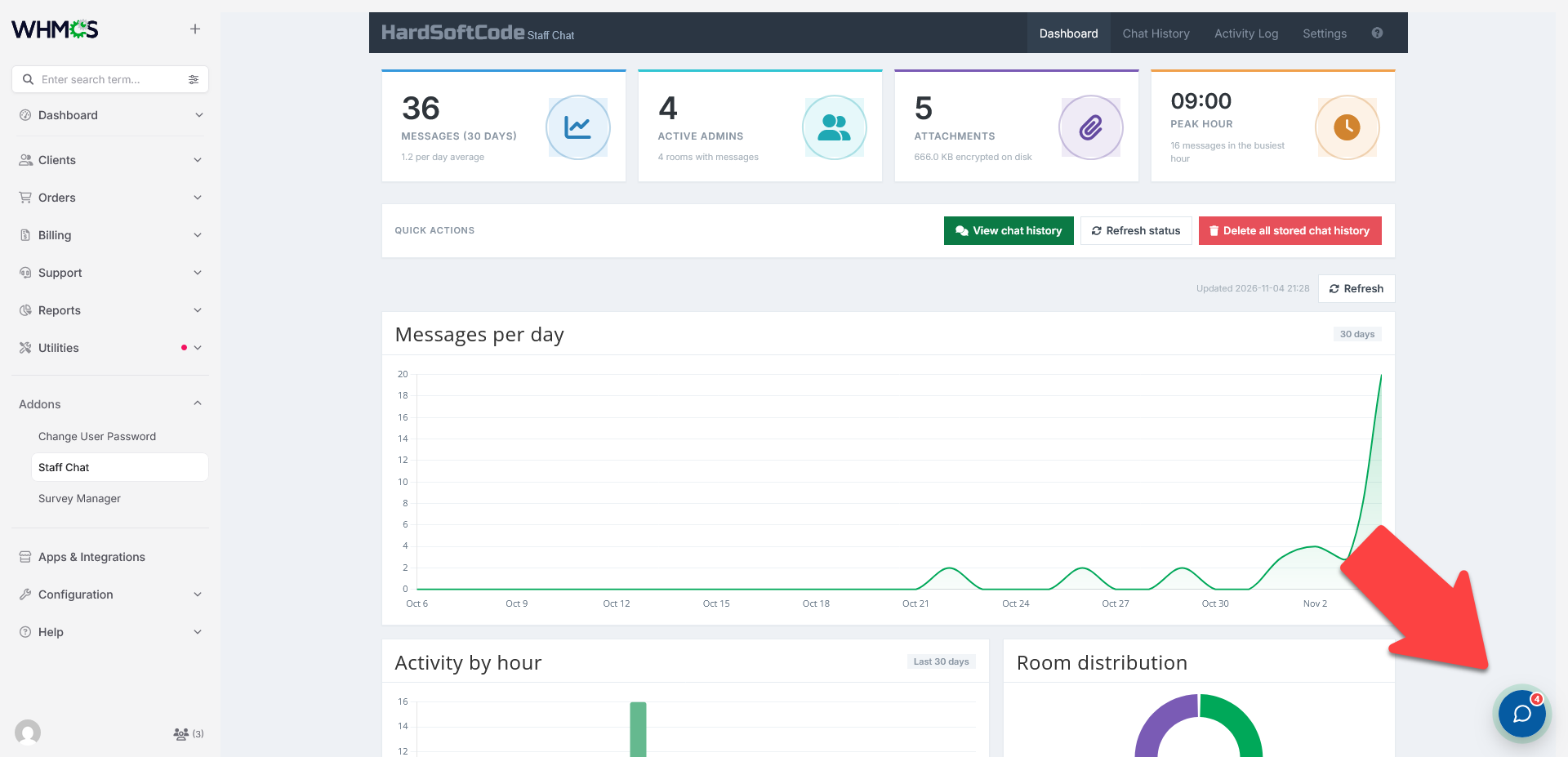
The widget sits in the corner of every admin page and can be collapsed into a small launcher with an unread badge, so it stays out of the way until you need it. Your team can chat in a shared Group Chat, open private one-to-one conversations, react to messages, send images and files, and be notified when a colleague mentions them.
Built for staff privacy and control
Chat conversations often include client details, so Staff Chat is built to keep them protected. Chat history and attachments are encrypted at rest using the WHMCS encryption helpers, and attachments are downloaded only through an authenticated endpoint, never from a public URL. All chat actions are protected against cross-site request forgery.
Full Administrators can review everything from a dedicated Chat History page, search across every room, and export results to CSV. A separate activity log records important actions with the admin, IP address and browser, and it never stores the text of a chat message.
Why you need it
- Staff stop switching between WHMCS and an outside chat app.
- Conversations stay on your own server instead of a third-party service.
- Chat history and attachments are encrypted at rest.
- Full Administrators can review, search and export everything.
- Read-only roles, ghost mode and rate limiting let you control who can say what.
Features
Chat and rooms
- Shared Group Chat room for every approved admin
- Optional private 1:1 rooms between two admins
- Floating widget on every admin page, with expanded and collapsed launcher modes
- Online admin list with presence dots and per-room unread badges
- Configurable polling interval from 1 to 60 seconds
- Message timestamps and an unread count in the browser title
- Configurable message length and number of messages loaded per request
- Automatic retention and a per-room message cap
Messages and interactions
- @mentions with autocomplete, highlighted names and a title marker when you are mentioned
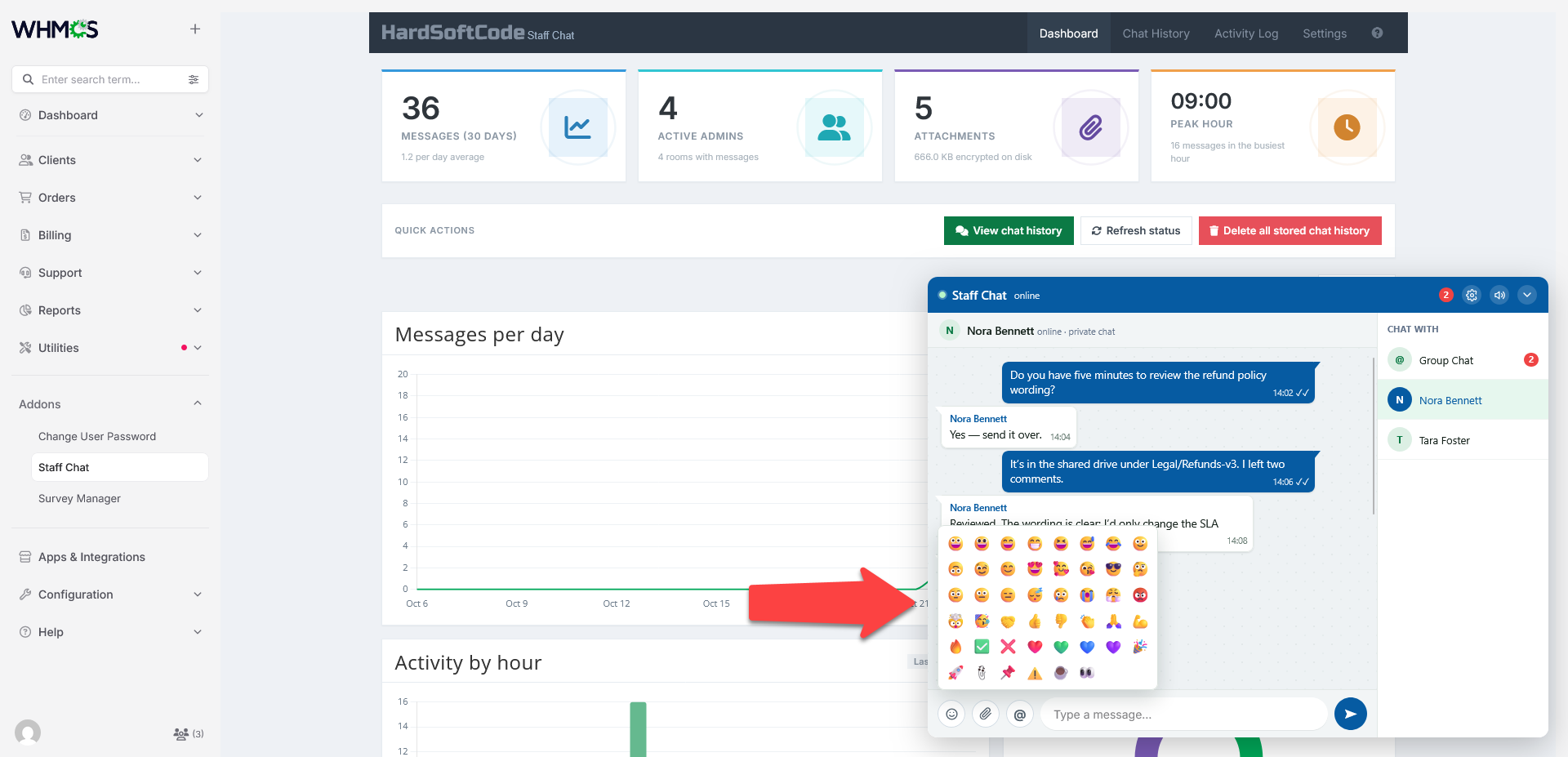
- Emoji picker with the common chat emojis
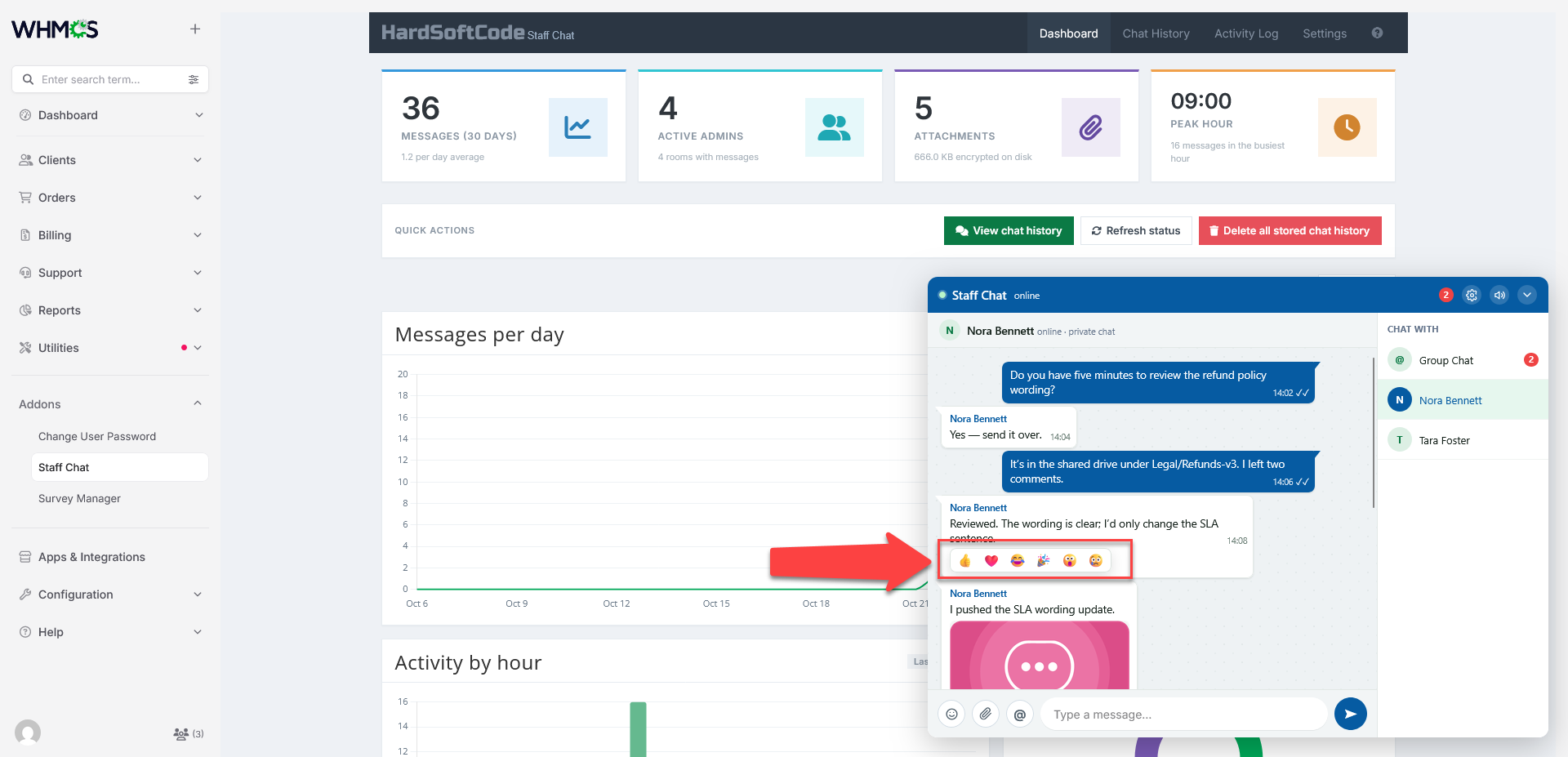
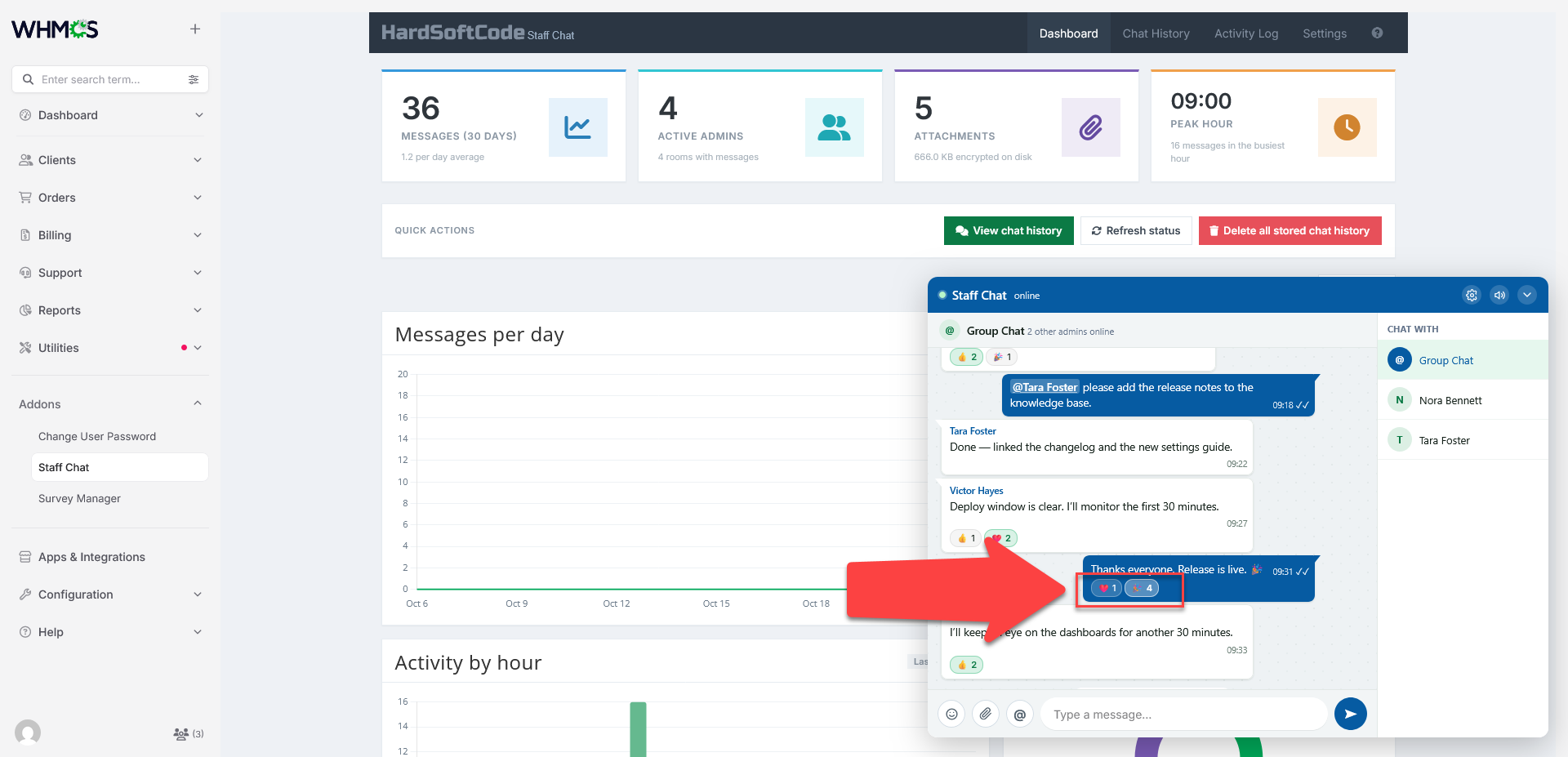
- Reactions with live counts: 👍 ❤️ 😂 🎉 😮 😢
- Typing indicator showing which admin is typing
- Edit your own messages within a configurable time window
- Delete messages with a confirmation dialog (Full Administrator only)
- Clickable links that open in a new tab
- Optional notification sound with a per-admin mute
Files, images and links
- Image and file attachments, one per message
- Allowed types: JPG, PNG, GIF, WebP, PDF, TXT and ZIP
- Configurable maximum file size, with a hard ceiling of 50 MB
- Configurable total attachment storage quota
- Inline image previews and a full-size lightbox
- Authenticated downloads, with no public attachment URLs
- Attachments encrypted at rest
- Text-only link previews with SSRF protection
History, search and export
- Encrypted chat history that survives page refreshes and admin logins
- Chat History page with a room selector, sorting, paging and filtering
- Global search across rooms, admins, message text and attachment names
- Reaction counts shown next to messages in history and search results
- Attachment previews and downloads in history and search results
- CSV export of chat history and of the activity log
- Retention applied when messages are written, when pages are viewed and by the daily cron
Dashboard analytics
- 30-day message volume line chart
- Time-of-day chart showing your peak communication hours
- Group Chat versus private room distribution
- Top mentioned admins, ranked
- Attachment count, encrypted storage used and a breakdown by file type
- KPI cards for 30-day volume, active admins, attachments and peak hour
Activity log
- Records widget connects, room switches, settings changes, message edits and deletions, cleared history, cleared log and denied access attempts
- Filters by action, admin and date range
- IP address and browser details, with IP logging switchable
- Session grouping, CSV export and retention pruning
- Full Administrator clear action
- Message content is never written to the log
Access and safety
- Full Administrator-only module pages
- Read-only roles that can view and react but cannot send
- Ghost mode: selected admins are hidden from presence and their names are masked
- Per-admin message rate limiting
- Blocked words filter and optional link blocking
- CSRF protection, AJAX-only endpoints and POST-only chat actions
Notifications
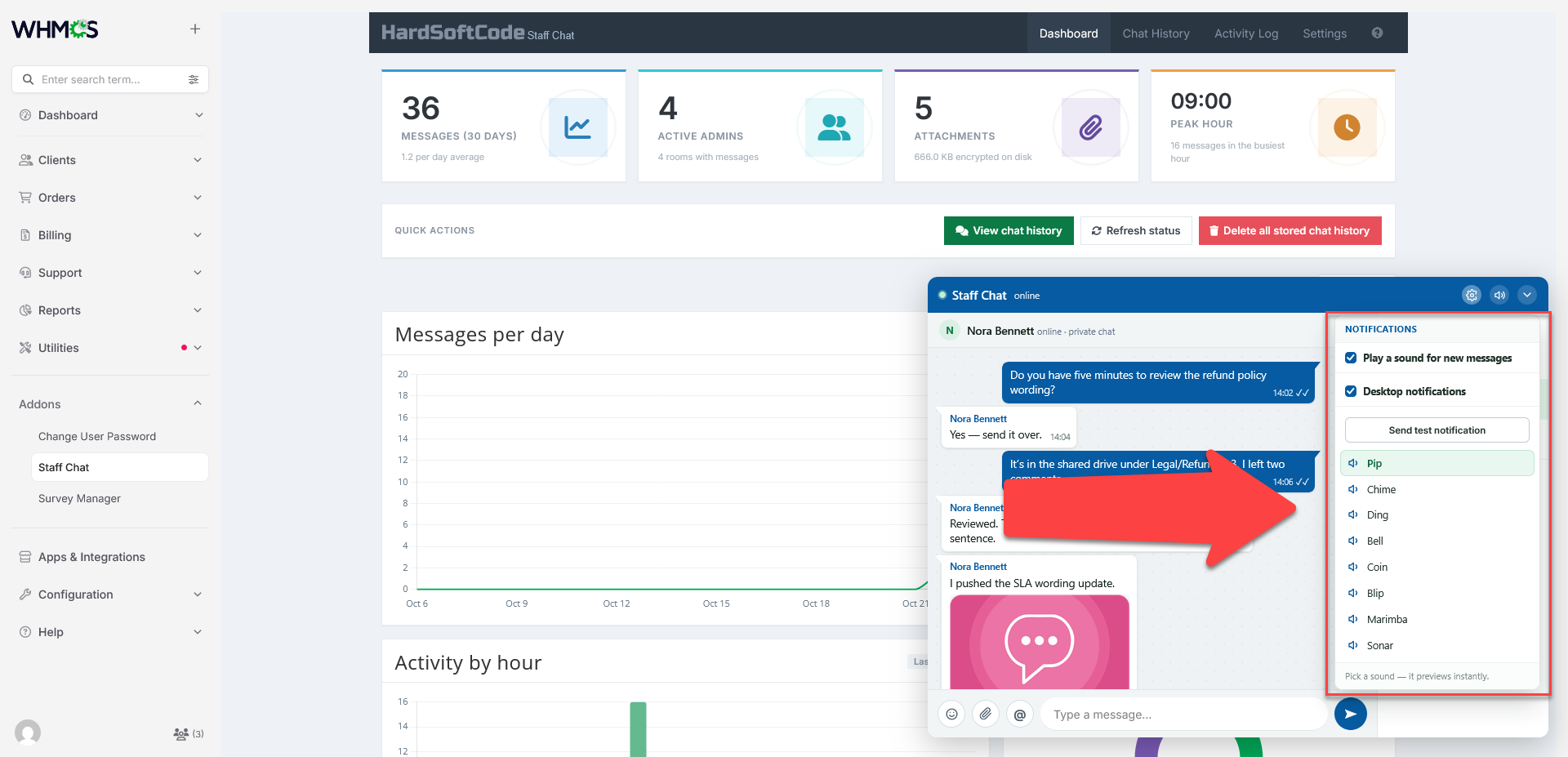
- Configurable default sound, volume and sound-on setting
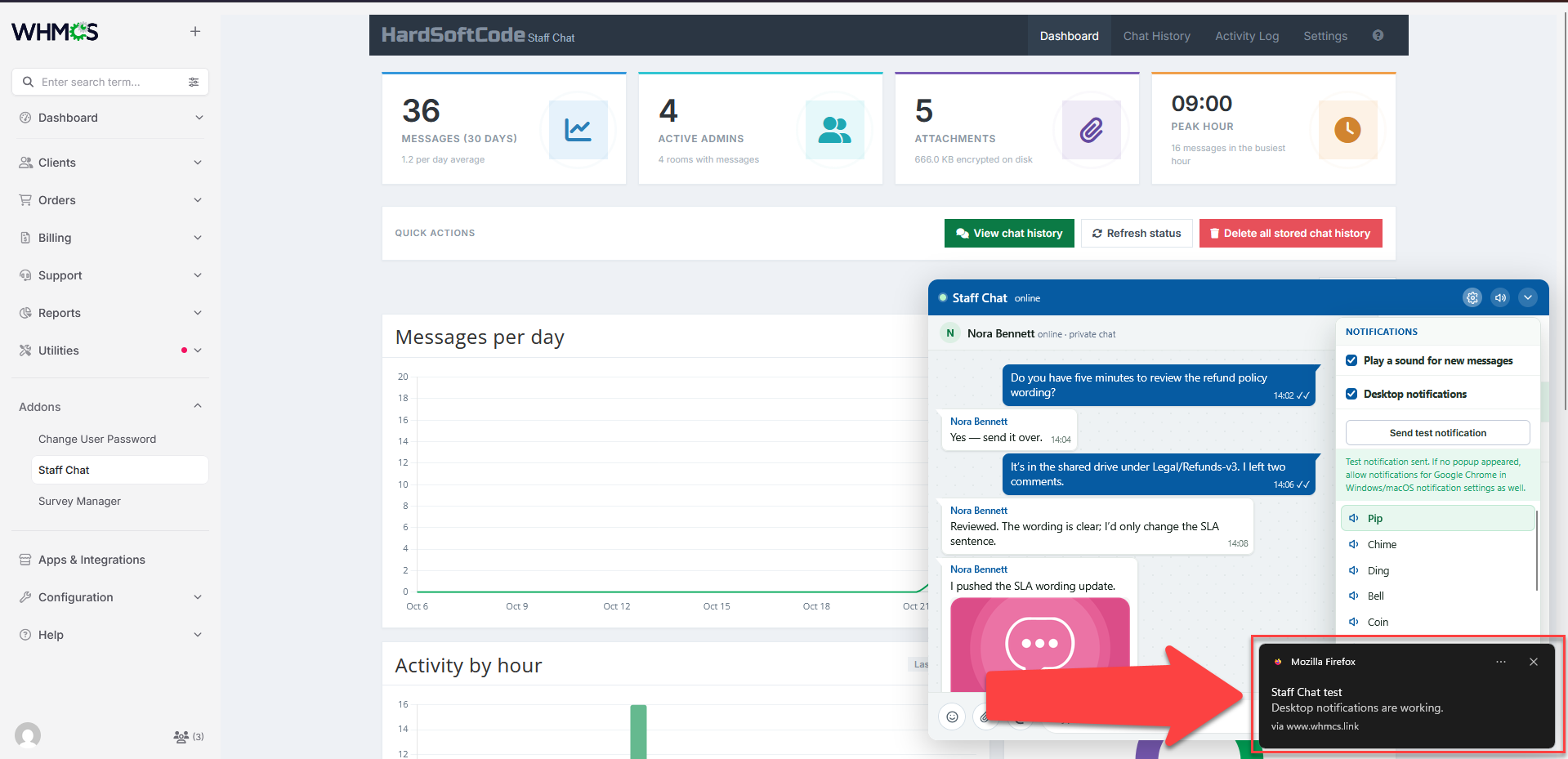
- Desktop notifications through a service worker
- Chrome and operating-system permission diagnostics
- Built-in test notification button
Admin area only. Staff Chat has no client-area pages and no client templates, and it works with WHMCS 8.x and 9.x.
Please Note: Source code licenses are delivered manually. A download link will be sent to your PayPal email address within 48 hours of purchase.
Updates Included: Your initial purchase includes 1 year of free updates. After the first year, you can optionally renew your license annually to maintain access to future updates.
There are no reviews yet!
Be the first to review Staff Chat For WHMCS.
Please login and purchase this product to review it.
There are no comments yet!
Start the discussion about Staff Chat For WHMCS.
Please login to post a comment.
Version Compatibility
2.0.0
WHMCS v8.13.x, WHMCS v9.0.x,, WHMCS v9.1.x
Product Requirements
v2.0.0
- PHP version as required by your WHMCS version, with the
curlandfileinfoextensions enabled - OpenSSL support for the WHMCS
encrypt()anddecrypt()helpers - Writable data directory:
modules/addons/StaffChat/datamust be writable by the web server - HTTPS: required for service-worker desktop notifications
- WHMCS daily cron running, for retention and cleanup tasks
- Admin access: roles must be ticked in Addon Modules → Access Control and must also hold the Addon Modules permission
Changelog
v2.0.0
- Added: Group Chat and private 1:1 rooms
- Added: AJAX polling with a configurable interval
- Added: Mentions with autocomplete and highlighting
- Added: Emoji picker, reactions and typing indicator
- Added: Message edit window and Full Administrator message deletion with a SweetAlert2 confirmation
- Added: Encrypted image and file attachments with inline images and a lightbox
- Added: Text-only link previews with SSRF protections
- Added: Chat History with room selector, DataTables, attachment previews and CSV export
- Added: Global search across rooms, admins, message text and attachment names
- Added: Reaction counts in Chat History and CSV output
- Added: Activity Log with retention, filters, CSV export, session grouping and a clear action
- Added: Read-only roles, ghost mode, rate limit, blocked words and link rules
- Added: Desktop notifications with a service worker and Chrome/OS diagnostics
- Added: Dashboard analytics with 30-day message volume, time-of-day activity, room distribution, top mentioned admins and attachment storage breakdowns
- Added: Configurable aggregate attachment quota
- Updated: Module pages are now Full Administrator-only
- Updated: Chat history and attachments are now encrypted at rest
- Updated: Attachments are served only through an authenticated download endpoint, and legacy plaintext files are migrated
- Improved: Encrypted analytics cache that invalidates automatically, with a Full Administrator-only, CSRF-protected refresh endpoint
- Improved: Per-admin rate limiting shared across sessions
- Improved: Anti-framing headers and activity-log integrity events for encrypted data failures
Released November 7th, 2026
Related Products
Support Tools
Support Pin Pro adds an extra layer of identity verification to your WHMCS installation by letting clients generate temporary, time-limited numeric PINs that your support team can verify over the phone, live chat, or...