

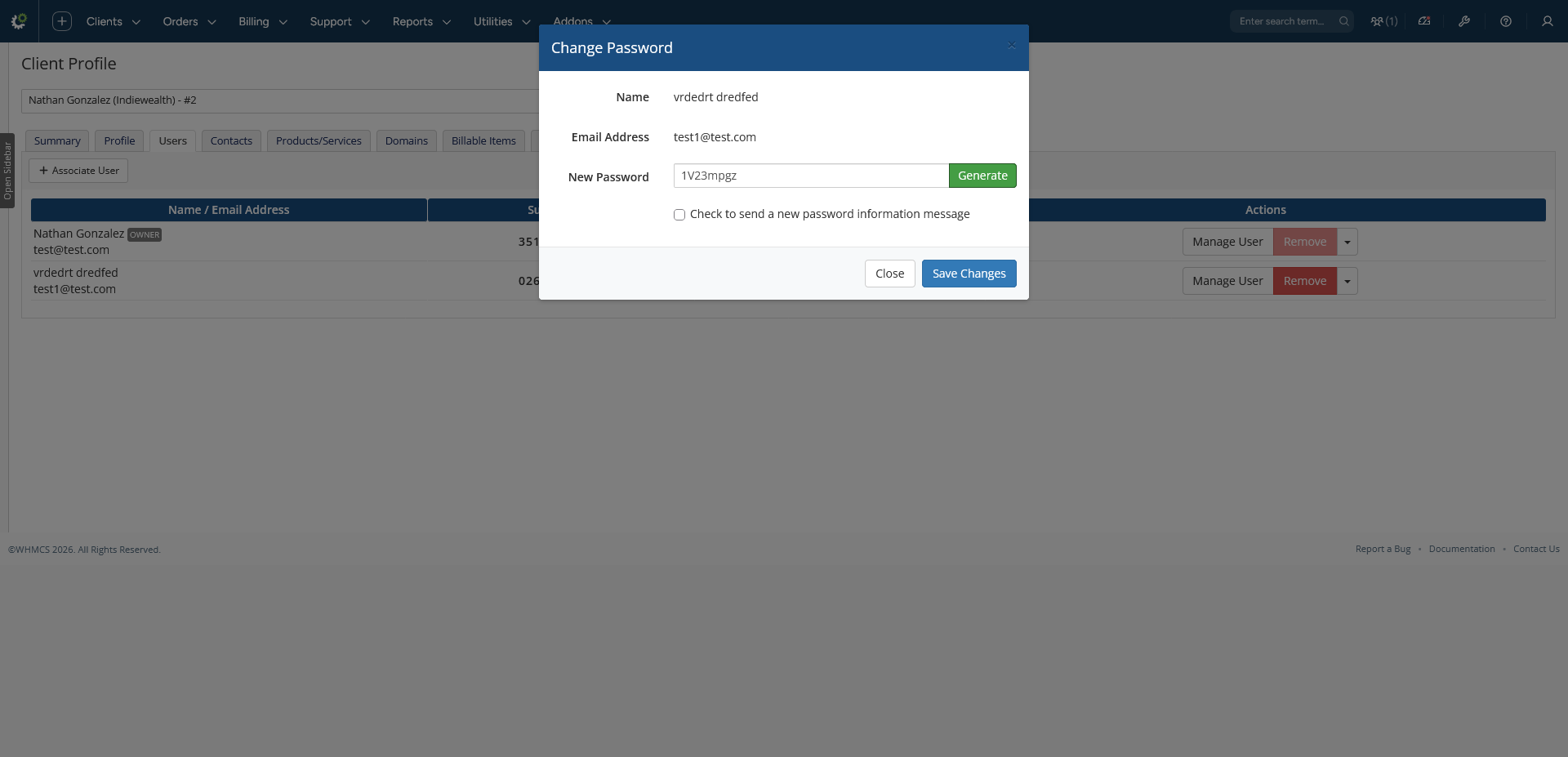
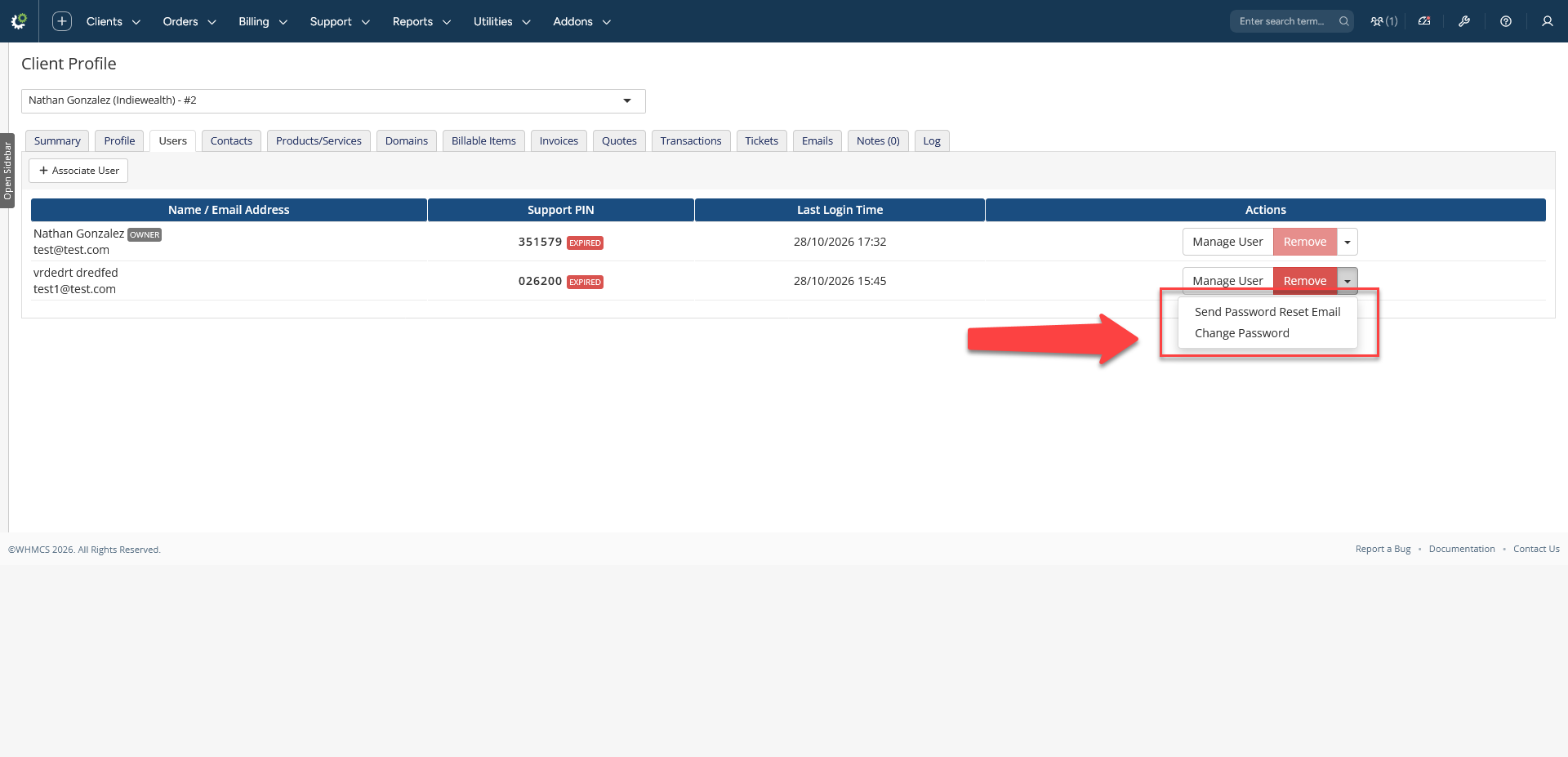
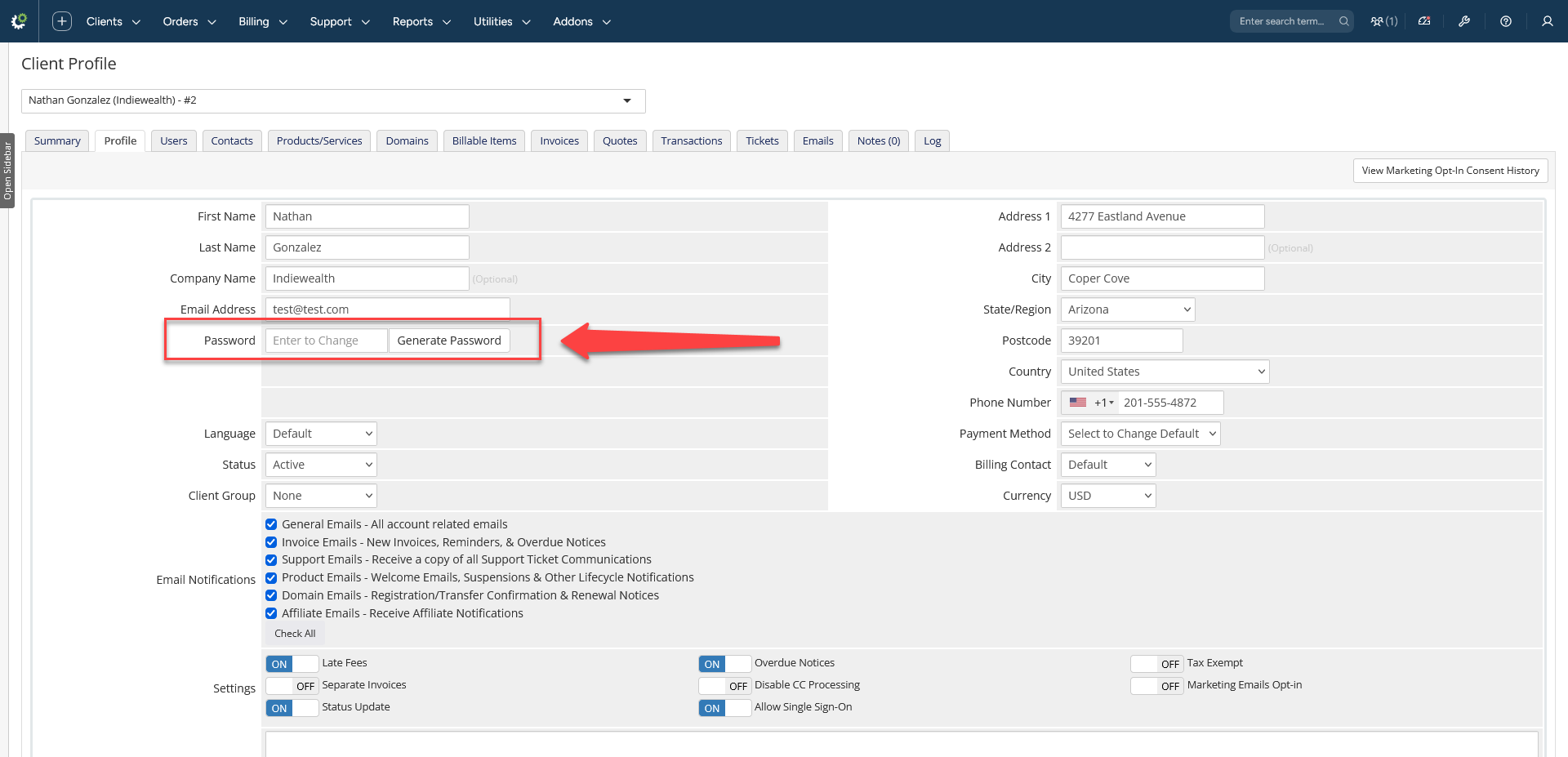
WHMCS 8 removed the ability for administrators to change a user's password from the admin area. Change User Password puts it back, safely and with every action recorded.
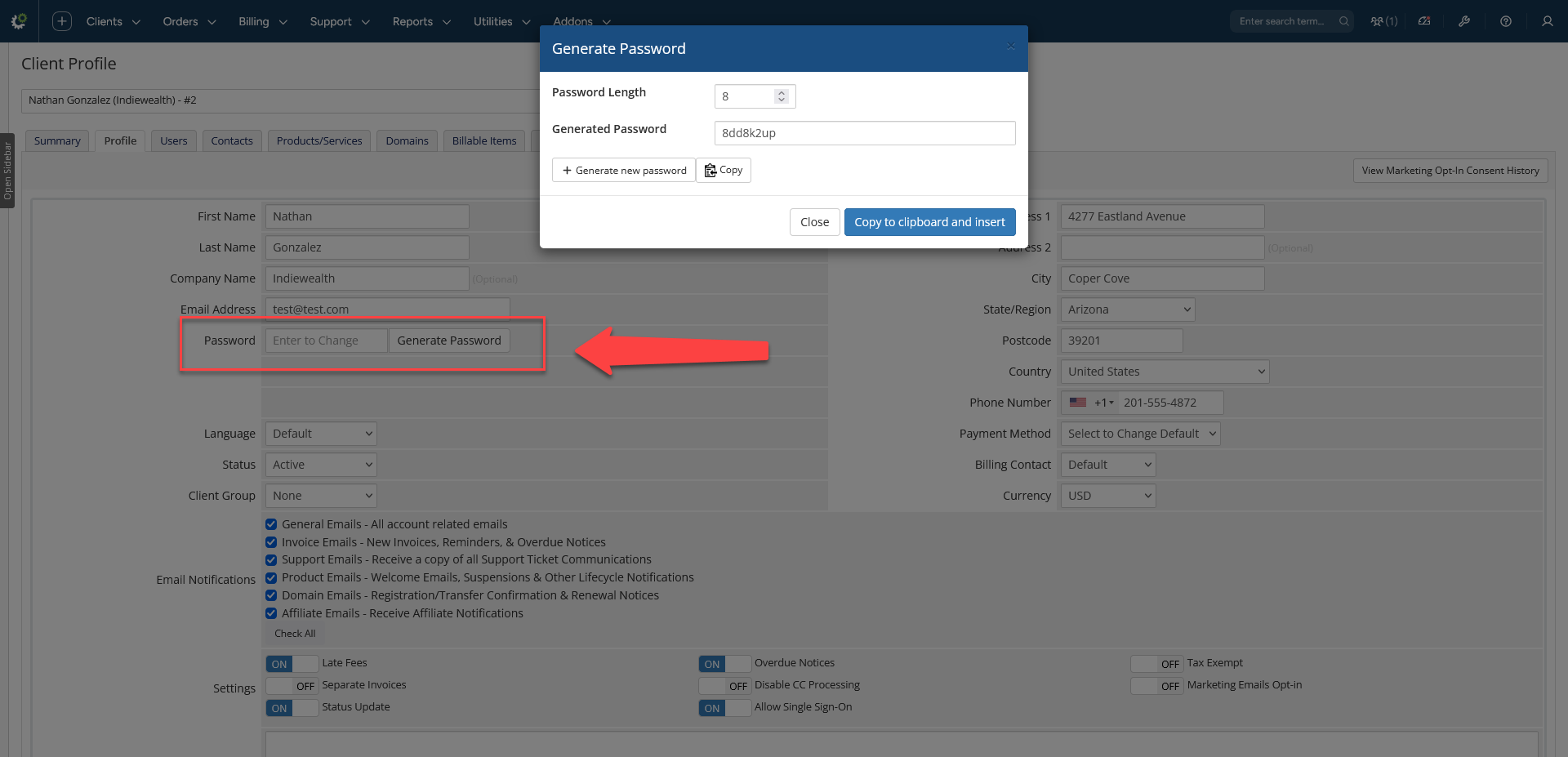
Change a password straight from the client profile or from the Manage Users dropdown, generate a strong password with one click, and optionally email it to the user so they can log in right away.
Why you need it
- Users ask support to reset their password, and WHMCS no longer lets you do it.
- Staff can reset passwords without ever needing the old one.
- Every change is logged with who did it, when and from where.
Highlights
- Two places to change a password: the client profile tab and the Manage Users dropdown, using the native WHMCS modal.
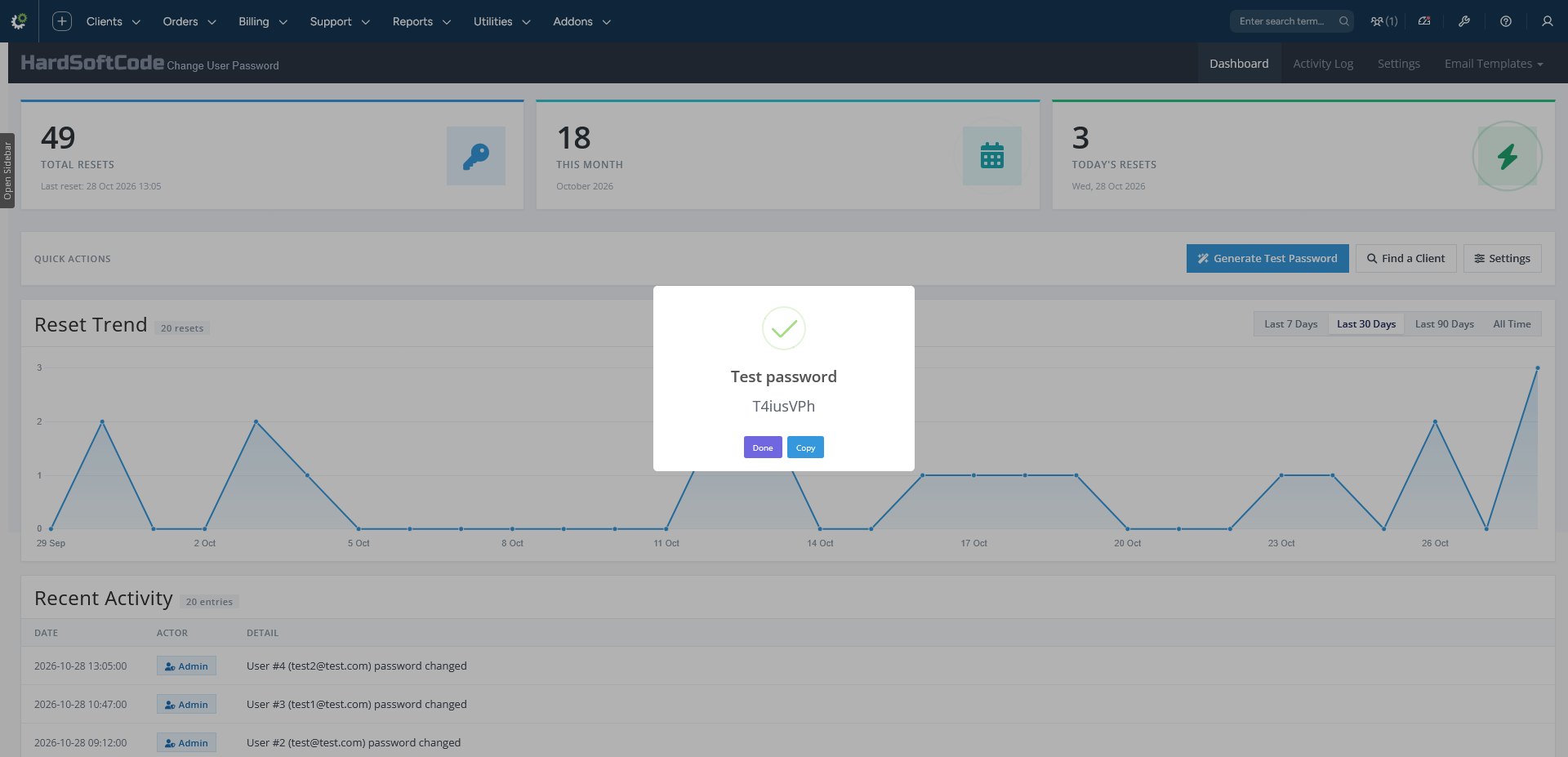
- Built-in password generator: configurable length (8–64) and character types, using a cryptographically secure random source.
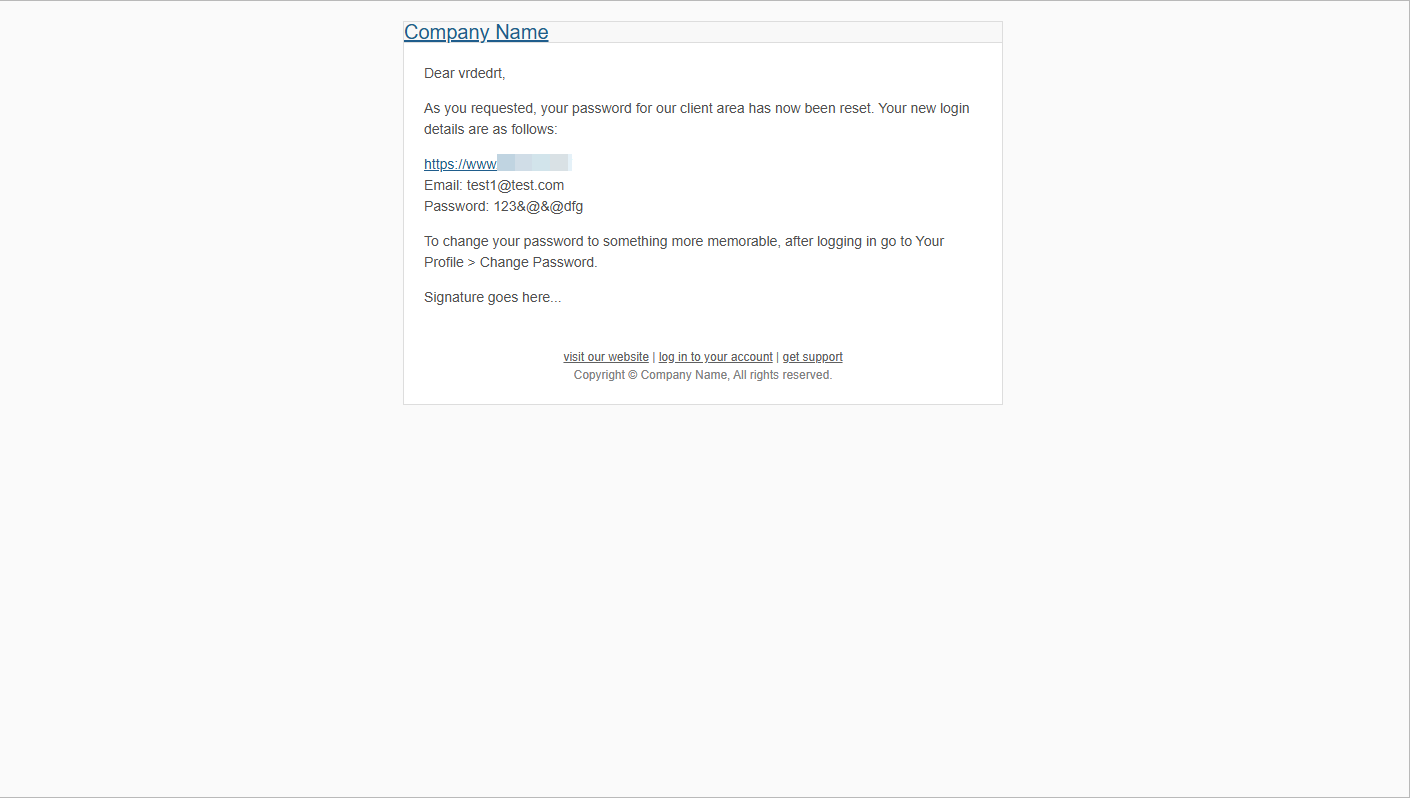
- Optional email to the user: sent with a ready-made Change User Password template.
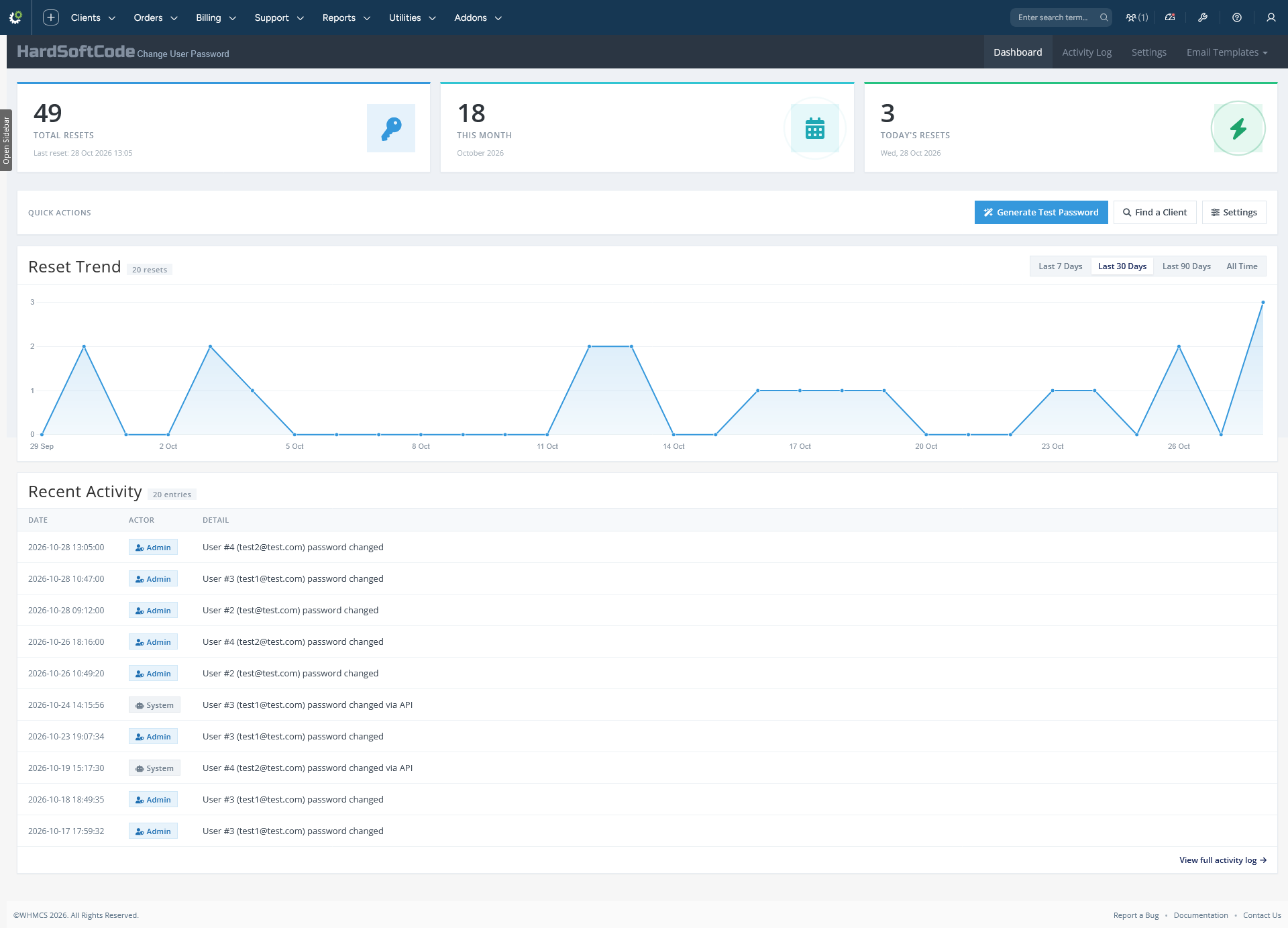
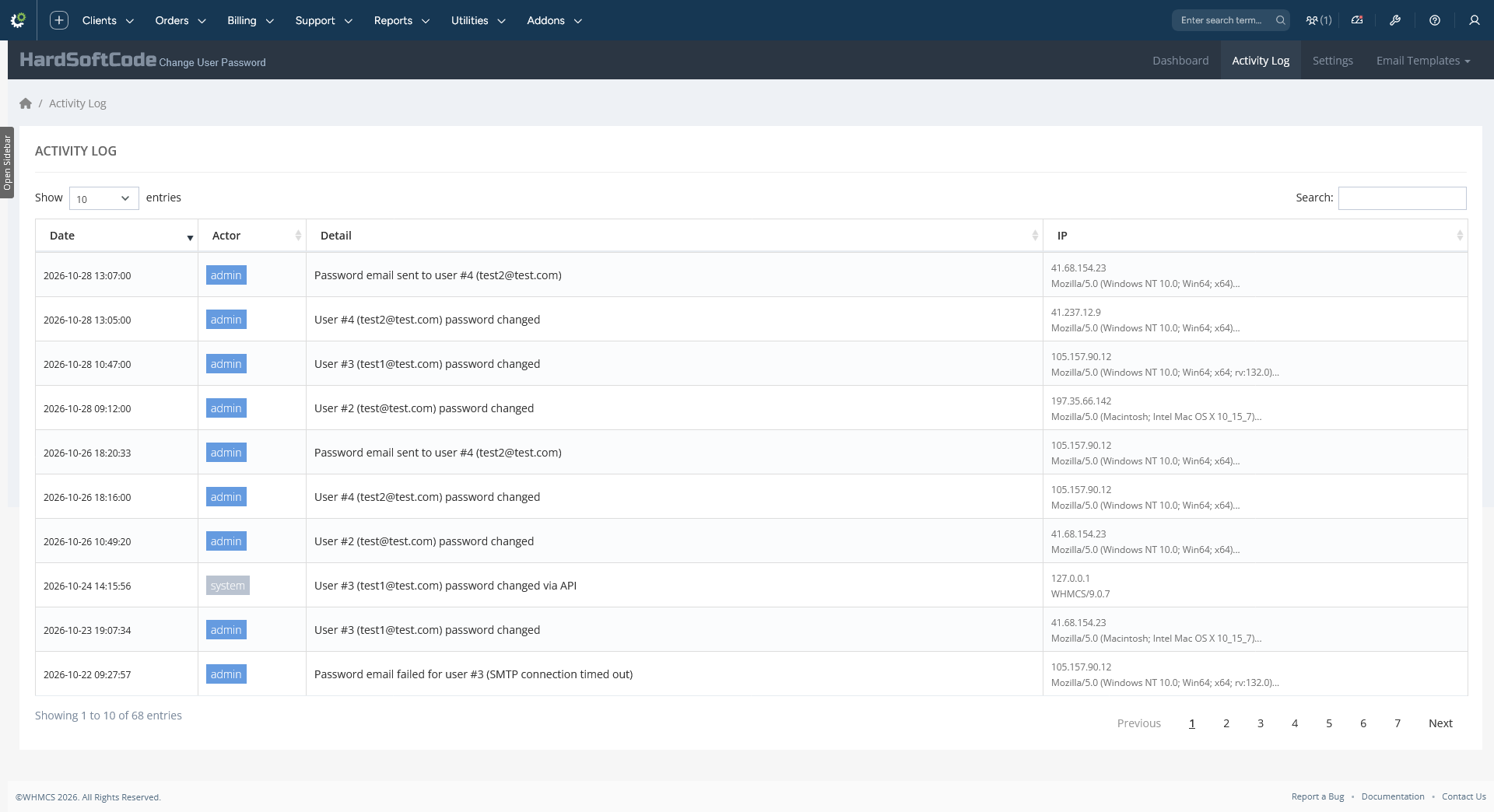
- Dashboard and activity log: KPI cards, a reset trend chart, and a full audit trail with IP and browser.
- Role-based access: uses the built-in WHMCS Access Control list, enforced server side.
- Secure by design: POST-only, CSRF-protected endpoints, and no passwords in the logs.
- Works on WHMCS 8.x and 9.x. Admin area only, no client-area changes.
What's New
This release makes the module's modal endpoints POST-only with CSRF validation. Opening an endpoint URL directly in the browser now returns the standard WHMCS HTTP Method Not Allowed page, just like WHMCS core routes. CSRF checks also go through one shared, fail-closed helper, so the modal shows a clean error instead of a raw response.
Access control now uses the built-in WHMCS Access Control list, and existing role lists are migrated automatically. The dashboard has been redesigned with total, monthly and daily reset counters, a quick action bar, a 7 / 30 / 90 day or all-time filter, and a new Reset Trend chart. Endpoints are now root-relative so they work from WHMCS 9 pretty admin URLs, and security was hardened across all endpoints and files.
You can now choose which character types the password generator uses (letters, numbers and symbols), and passwords are generated with a cryptographically secure random source. This release also fixes the Generate button and the CSRF token on the save form, so new passwords save correctly.
Features
Change a password
- Change a password from the client profile tab
- Change a password from the client profile → Users tab
- Change a password from Clients → Manage Users
- One click to change a password in a native WHMCS modal
- Send an email notification to the user with the new password
- Works with WHMCS 9 pretty URLs
Password generator
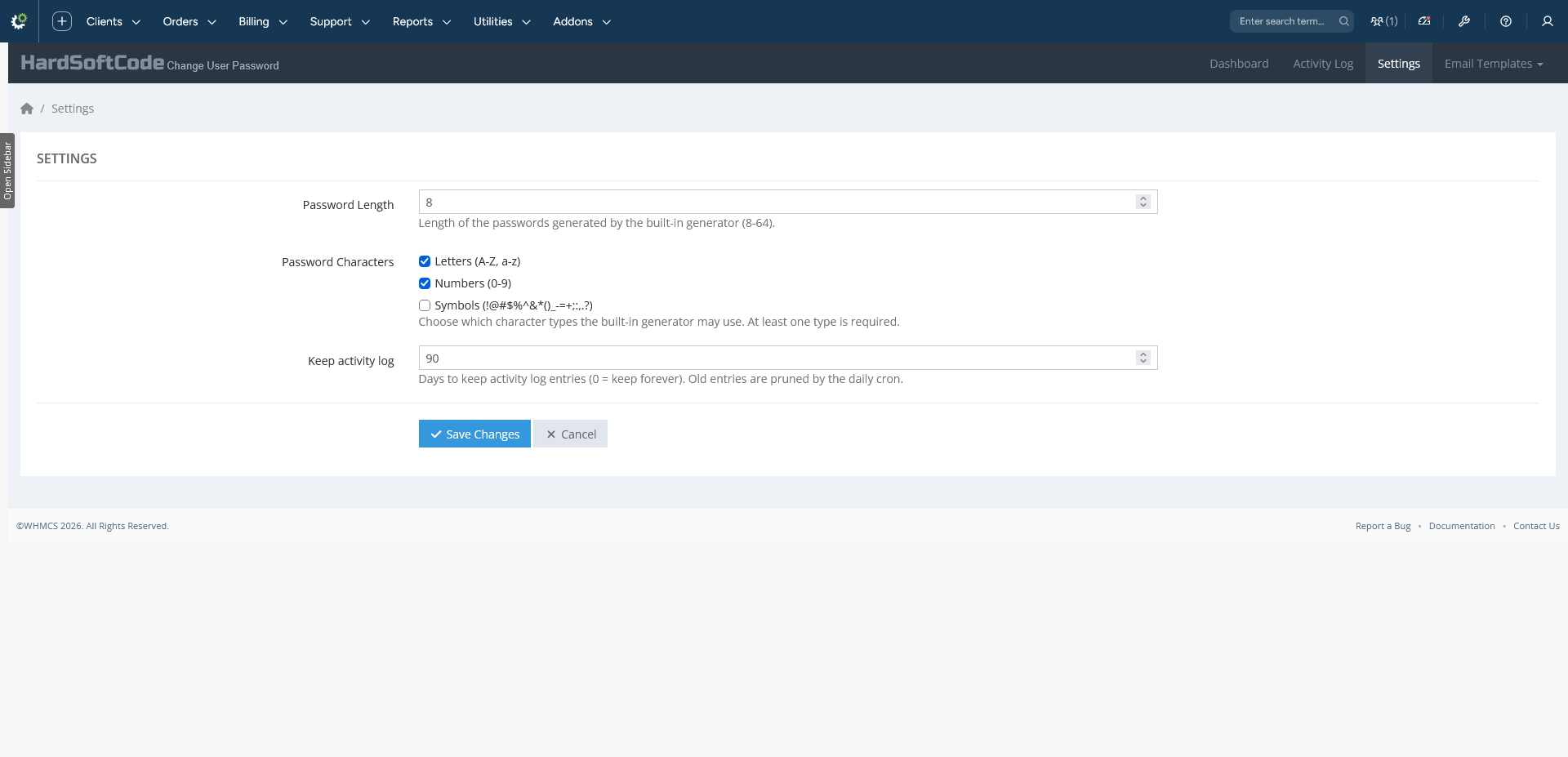
- Configurable password length (8–64)
- Configurable character types: letters, numbers, symbols
- At least one character of every selected type
- Cryptographically secure random generation
- Copy and Insert buttons
Admin and audit
- Dashboard with total, monthly and daily reset counters
- Reset Trend chart with 7 / 30 / 90 day and all-time filters
- Activity log with actor, IP and browser user-agent
- Settings history that names every changed value
- Configurable log retention with automatic cleanup
Security and access
- Role-based access control using the WHMCS Access Control list
- POST-only, CSRF-protected endpoints
- No passwords stored in the activity log or the email log
- No changes to WHMCS core files
- Ready-made Change User Password email template
Please Note: Source code licenses are delivered manually. A download link will be sent to your PayPal email address within 48 hours of purchase.
Updates Included: Your initial purchase includes 1 year of free updates. After the first year, you can optionally renew your license annually to maintain access to future updates.
There are no reviews yet!
Be the first to review Change User Password For WHMCS.
Please login and purchase this product to review it.
There are no comments yet!
Start the discussion about Change User Password For WHMCS.
Please login to post a comment.
Version Compatibility
v2.4.1
WHMCS v8.13.x, WHMCS v9.0.x
Product Requirements
v2.4.1
- WHMCS 8.x or 9.x
- IonCube Loader: the module is IonCube encoded, so your server needs the matching IonCube Loader for your PHP version
- A valid license key: entered in the module settings after activation. The key is emailed after purchase and is also available in the client area under Account → My Products → manage product
- PHP version as required by your WHMCS version
- WHMCS daily cron running, so the activity log can be pruned according to your retention setting
- Admin access: at least one admin role ticked in the WHMCS Access Control list for the module
Changelog
v2.4.1
- Added: Three dashboard KPI cards: Total Resets, This Month and Today's Resets
- Added: Quick action bar: generate a test password, find a client, settings
- Added: 7 / 30 / 90 day and all-time activity filter
- Added: Reset Trend chart, capped at 366 days for All Time, with Chart.js 4.4.1 bundled (no CDN)
- Added: Password Characters setting: choose letters, numbers and symbols
- Added: Every selected character type is guaranteed in each generated password
- Added: Dashboard, Activity Log (DataTables) and admin header navigation
- Added: Audit log with IP and browser
- Added: Per-change settings history
- Added: AJAX settings with toast messages
- Updated: Modal body (
a=index) is now POST-only with a CSRF token, like WHMCS core routes - Updated: Opening an endpoint URL directly in the browser returns the WHMCS HTTP Method Not Allowed page
- Updated: Access Control now uses the built-in WHMCS role list, and the module's own role field was removed
- Updated: Existing role lists are migrated automatically, and an empty role list denies access, matching WHMCS
- Updated: Dashboard redesigned, with the activity feed sorted by date, capped at 10 rows and showing actor badges
- Updated: Endpoints are root-relative, so they work from WHMCS 9 pretty admin URLs
- Updated: Password generation is now cryptographically secure (
random_int()+ Fisher-Yates) instead ofstr_shuffle() - Updated: Modern rewrite on the HSCode architecture: namespaced controllers and Smarty admin templates
- Fixed: Direct GET to
a=storeanda=passwordnow returns the WHMCS 405 page instead of a bare JSON error - Fixed: GET responses no longer mint or echo a CSRF token
- Fixed: Dashboard counters now count password changes only, so settings saves no longer inflate them
- Fixed: Generate button now works
- Fixed: CSRF token on the save form, so new passwords save correctly
- Fixed: Generator modal no longer reuses WHMCS element IDs
- Fixed: Length warning and pre-filled password
- Improved: CSRF validation is centralised in one fail-closed helper that returns a clean JSON 403 to the modal
- Improved:
a=storeanda=passworduse the same CSRF helper - Improved: Access is enforced consistently in the UI and the endpoints
- Improved: Security hardening: POST-only password generation, password saves and settings saves, restricted controller dispatch, password length and NUL byte checks, direct file access blocked,
.htaccessrules, and generic activation and deactivation errors
Released October 29th, 2026
Related Products

Performance & Security
Give clients the ability to request account closure or deletion from the client area — with password confirmation, optional captcha, an optional emailed verification code, a grace period they can extend once,...